
How to Create a Compelling Press Release With AI
Want to learn how to create a compelling press release with AI that actually gets media attention? You’re not alone. Most business owners and marketers struggle with writing press releases that journalists want to read, let alone publish.
The good news is that artificial intelligence has transformed how we approach press release writing. AI tools can help you identify newsworthy angles, craft attention-grabbing headlines, and tailor your message for different audiences—all while saving you hours of work.
But here’s what most people get wrong: they think AI should write everything for them. The reality is much more nuanced. The most effective press releases combine AI’s analytical power with human insight and storytelling. AI excels at research, optimization, and structure, while you bring the strategy, context, and authentic voice that makes your story worth telling.
Whether you’re announcing a product launch, sharing company news, or responding to industry developments, the techniques in this guide will help you create press releases that stand out in crowded inboxes and actually drive results.
What Is a Press Release?
A press release is an official statement issued to journalists and media outlets to announce newsworthy information about your company, organization, or cause. Think of it as your formal introduction to the media—a way to present your story in a format that makes it easy for reporters to understand, verify, and potentially cover.
Unlike marketing copy or social media posts, press releases follow specific formatting conventions and maintain a neutral, third-person tone. They’re written to provide journalists with all the essential information they need to write their own story, including quotes, data, and background context.
When to Use a Press Release
Press releases aren’t appropriate for every piece of company news. They work best when you have genuinely newsworthy information that would interest your target audience. Here are the most common scenarios:
- Product Launches and Updates: Introducing a new product, major feature update, or significant improvement to existing services. This works especially well if your product solves a common problem or represents an innovation in your industry.
- Company Milestones and Achievements: Major funding rounds, significant revenue growth, reaching customer milestones, or achieving industry recognition like awards or certifications.
- Leadership Changes: New executive appointments, promotions to key positions, or notable additions to your board of directors—particularly when the person brings relevant expertise or has an interesting background.
- Partnerships and Acquisitions: Strategic partnerships, mergers, acquisitions, or collaborations that create value for customers or expand your market reach.
- Research and Survey Results: Original research findings, industry surveys, or data insights that provide valuable information to your target market or industry.
- Event Announcements: Major conferences, product demonstrations, trade show participation, or community events that would interest your audience.
- Crisis Communication: Addressing significant issues, policy changes, or responding to industry developments that affect your stakeholders.
- Community and Social Impact: Charitable initiatives, sustainability programs, or community partnerships that demonstrate your organization’s values and commitment.
The key question to ask yourself: “Would this information be genuinely interesting or useful to people outside my company?” If the answer is yes, a press release might be the right approach.
Pro Tip: If you are looking to create compelling product tools using AI, you can try out our AI Product story writing tool
Common Mistakes That Kill Press Releases
Understanding what not to do is just as important as knowing best practices. Here are the most critical mistakes that will guarantee your press release gets ignored:
- Writing Obvious Marketing Copy: Using superlatives like “revolutionary,” “groundbreaking,” or “industry-leading” without backing them up with concrete evidence. Journalists can spot promotional language immediately and will dismiss your release as advertising rather than news.
- Burying the Lead: Starting with company background or industry context instead of the actual news. Your most important information should be in the first paragraph, ideally the first sentence. If a journalist can’t identify your news within 10 seconds, they’ll move on.
- Writing Weak Headlines: Generic headlines like “XYZ Company Announces New Product” tell journalists nothing compelling. Your headline should communicate why this matters, not just what happened.
- Missing the “So What?” Factor: Focusing on what your company did instead of why it matters to the audience. Every press release should clearly answer: “Why should anyone care about this?”
- Overloading with Jargon: Using industry-specific terminology, acronyms, or technical language that general business journalists won’t understand. Remember, you want to make it easy for reporters to write about you.
- Including Irrelevant Company History: Adding paragraphs about when your company was founded, your mission statement, or lengthy background information that doesn’t relate to the current news. Keep background information brief and relevant.
- Forgetting Contact Information: Failing to include clear contact details for media inquiries, or listing someone who won’t be available to respond quickly. Journalists work on tight deadlines.
- No Supporting Materials: Not providing high-resolution images, videos, data sheets, or other materials that journalists need to create compelling stories about your announcement.
- Ignoring Local Relevance: Sending the same generic release to everyone instead of customizing the angle for different audiences or geographic regions.
- Following Up Too Aggressively: Calling or emailing journalists repeatedly after sending your release, or following up within hours instead of giving them reasonable time to review and respond.
The biggest mistake of all? Treating press releases like advertisements. Remember, you’re providing information that helps journalists do their job, not trying to sell them something.
Related: How to write perfect job description with AI
How to Write a Press Release Using AI
Here’s a step-by-step guide to creating professional press releases using AI tools, specifically with WordWriter:
Step 1: Access the Platform
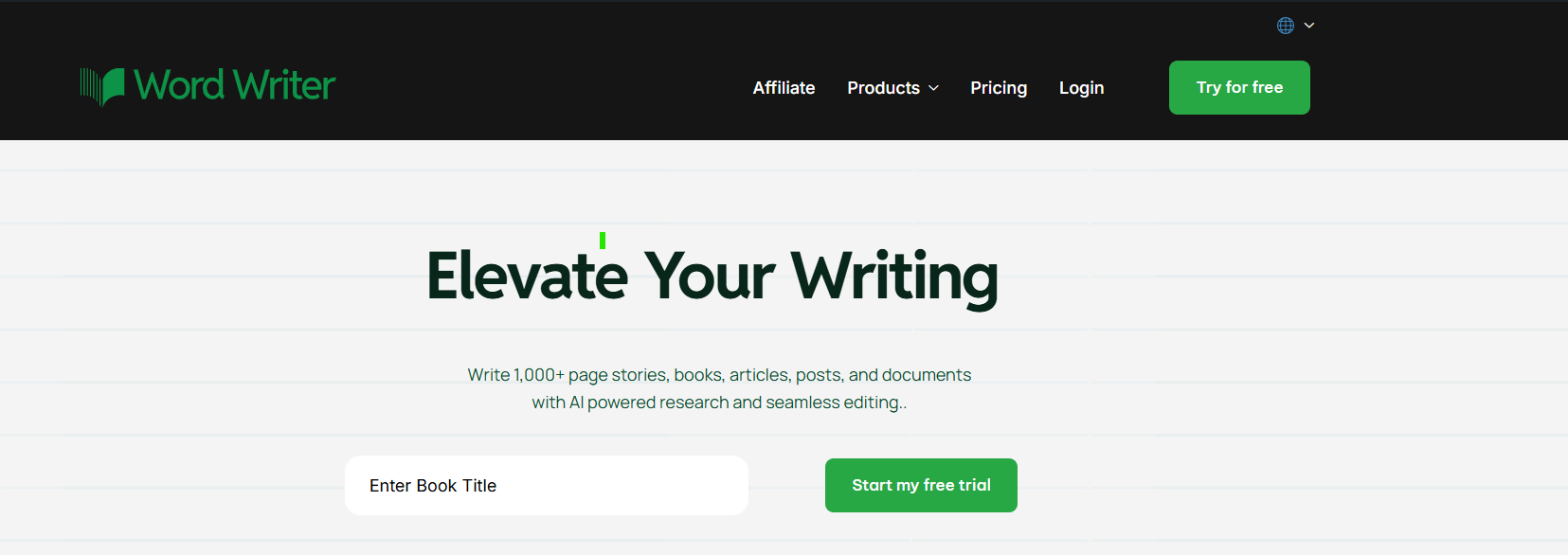
Sign in to your WordWriter account or click on the “Try It Free” button to create your account and get started with the platform.
Step 2: Access the Templates
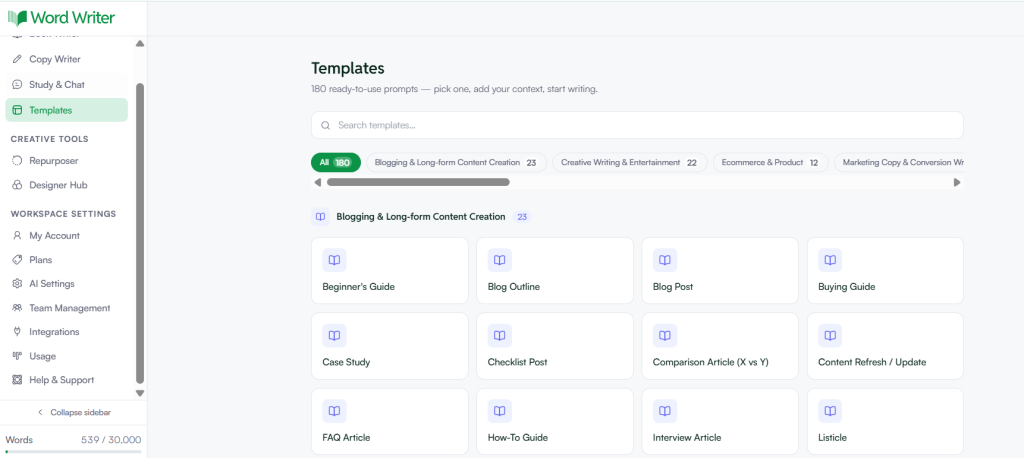
Once you are on the dashboard, look at the left corner and tap on Templates.
Step 3: Select Your Template
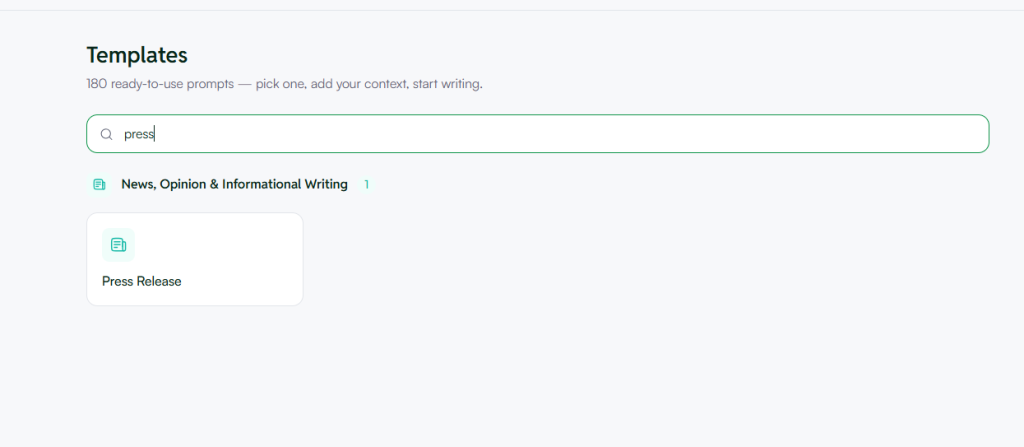
In the Templates search bar, type “press” and a ‘press release’ templates will appear.
Step 4: Fill In the Press Release Template and Generate Your Content
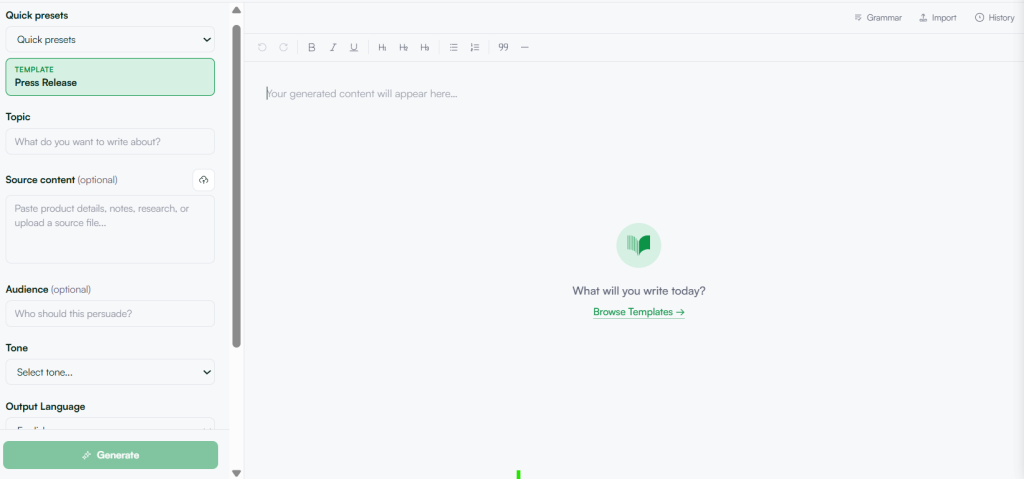
Once you have selected the Press Release template, the left panel gives you a set of fields to complete before generating. This is where the quality of your output is decided — the more specific your inputs, the stronger your press release will be.
- Topic: Enter a clear, direct summary of what your press release is about. For example: “Product launch of a new AI writing tool for marketing teams” or “Company rebrands and expands to three new markets.” WordWriter uses this as the foundation for everything it generates, so treat it like a headline brief, not a vague keyword.
- Source Content (Optional): If you have existing material such as a product brief, a company announcement, internal notes, or research, paste it here. It gives WordWriter the specific details, figures, and context it needs to produce a press release that sounds like it came from inside your organization, not a generic template.
- Audience: A press release written for journalists reads differently from one written for investors or industry partners. Entering your target audience here ensures the tone, framing, and level of detail match the people you are trying to reach.
- Tone: For most press releases, a professional or formal tone works best, but WordWriter gives you flexibility depending on your brand voice and the nature of the announcement.
- Output Language and Word Count: Set these based on your distribution needs. For a standard press release, 500 words is a solid starting point. For a more detailed announcement covering background, quotes, and context, push to 1K or 2K.
Step 5: Generate and Review
When you are ready, click Generate. Your press release draft will appear in the editor on the right, formatted and ready for you to review, refine, and publish..
What Needs to Be Included in a Press Release
Every effective press release must contain these essential elements to meet journalistic standards and provide value to both media professionals and readers:
The Headline
Your headline should be clear, specific, and newsworthy. It needs to communicate the most important aspect of your announcement in 10 words or less. Avoid generic phrases and make sure it answers “what happened and why it matters.”
The Dateline
Include the city and state where your news is happening, followed by the date of release. This helps journalists understand the geographic relevance and timing of your announcement.
The Lead Paragraph
Your opening paragraph must answer the fundamental questions: who, what, when, where, why, and how. This paragraph should contain your most newsworthy information and be able to stand alone if nothing else gets read.
Body Paragraphs with Supporting Details
Expand on your lead with additional context, background information, and supporting details. Include relevant statistics, timelines, and explanations that help readers understand the significance of your news.
Compelling Quotes
Include 2-3 quotes from relevant executives, experts, or stakeholders. These should add insight, personality, and credibility to your story. Avoid generic corporate-speak and aim for quotes that provide genuine value or perspective.
Company Background Information
Provide a brief “About” section that gives context about your organization. Keep this concise—2-3 sentences maximum—and focus on information that’s relevant to your current announcement.
Contact Information
Always include detailed media contact information, including name, title, phone number, email address, and availability. Consider including both primary and backup contacts to ensure journalists can reach someone quickly.
Supporting Materials
Reference any additional resources available to journalists, such as high-resolution images, videos, product demos, data sheets, or executive availability for interviews.
Multimedia Elements
When relevant, mention accompanying visual materials like photos, infographics, or videos that can enhance media coverage of your story.
Call-to-Action or Next Steps
Clearly indicate what you want readers to do next, whether it’s visiting a website, attending an event, or trying a new product or service.
Related: What Difference Does Content Batching Makes?
Conclusion
Writing a press release used to mean staring at a blank page trying to nail the inverted pyramid, the boilerplate, the quote that sounds human but formal, all before a deadline. That friction is gone now.
WordWriter handles the structure, the tone, and the formatting. You bring the announcement, the context, and the details that make your news worth covering. Feed the template what it needs, hit Generate, and walk away with a draft that is ready to refine and send — not one you have to rewrite from scratch.
Your next announcement deserves to land well. Give WordWriter a try and see how quickly your press release comes together.
FAQs
What information do I need before generating a press release with WordWriter?
You need three things at minimum: a clear topic summarizing your announcement, your target audience (journalists, investors, partners), and your preferred tone. If you have supporting material such as a product brief, company background, or key statistics, pasting it into the Source Content field will significantly improve the quality and specificity of your output. The more context you give WordWriter, the less editing you will need to do afterward
Can I use WordWriter’s press release template for any type of announcement?
Yes. The Press Release template works across product launches, company rebrands, funding announcements, partnerships, event promotions, and executive appointments. The Tone and Audience fields let you adjust the framing so the same template can serve a tech startup announcing a new feature and a corporate firm announcing a leadership change without either sounding generic.
How much editing does an AI-generated press release need before it is ready to send?
Less than you might expect, provided your inputs are specific. When you fill in the Topic, Source Content, and Audience fields with accurate detail, WordWriter produces a structured draft that typically needs light editing for quotes, brand-specific language, and contact details rather than a full rewrite.
Think of the generated draft as a strong first version — your job is to personalize it, not rebuild it.
