
AI Welcome Email Generator: Create Engaging Emails Fast

Want to know how our AI welcome email generator works? Here is a quick guide for you:
Are you struggling to craft welcome emails that truly resonate with your ideal customers? You’re not alone. Many businesses find themselves staring at a blank screen, wondering how to create that perfect first impression that converts new subscribers into loyal customers. Our AI welcome email generator will do the job correctly leaving no crumbs, which is why you should use it.
What is an AI Welcome Email Generator?
An AI welcome email generator is a sophisticated tool that leverages artificial intelligence and natural language processing to create personalized, engaging welcome emails automatically. Think of it as your digital copywriter that never sleeps, never has writer’s block, and always knows exactly what to say to make your new subscribers feel valued and excited about joining your community.
These tools analyze your brand voice, customer data, and industry best practices to generate welcome emails that are not just functional, but compelling. They can create everything from simple welcome messages to complex multi-email onboarding sequences, all tailored to your specific business needs and customer segments.
Why Welcome Emails Matter
Before diving into why you need an AI generator, let’s look at the compelling statistics that make welcome emails essential:
- Welcome emails boast an impressive 91.43% open rate – significantly higher than regular marketing emails – Campaign Monitor
- They generate 4x more opens and 10x more clicks than other email types – Porch Group Media
- Welcome emails have a 68.6% open rate and can achieve conversion rates of 2.74% – Mailmodo
These numbers aren’t just impressive – they represent real revenue opportunities that many businesses are missing simply because they struggle to create effective welcome emails.
Related: How to write a cover letter using AI
Why You Should Use an AI Welcome Email Generator
1. Eliminate the Blank Page Syndrome
Writing compelling welcome emails is harder than it looks. You need to balance being welcoming without being overwhelming, informative without being boring, and personal without being intrusive. AI generators eliminate this challenge by providing you with professionally crafted templates and content suggestions based on proven formulas.
2. Achieve Instant Personalization at Scale
Modern AI email generators can personalize content based on:
- Customer demographics and behavior
- Sign-up source and context
- Product interests and preferences
- Geographic location and timing
- Previous interactions with your brand
This level of personalization, which would take hours to implement manually, happens instantly with AI.
3. Maintain Consistency Across All Touchpoints
Your AI generator learns your brand voice and maintains it consistently across all welcome emails, ensuring every new subscriber gets the same high-quality first impression, regardless of when they sign up or which team member would have otherwise written the email.
4. Save Time and Resources
Instead of spending hours crafting and refining welcome emails, you can generate multiple variations in minutes. This efficiency allows your marketing team to focus on strategy and optimization rather than getting bogged down in copywriting details.
5. Optimize for Better Performance
AI generators incorporate email marketing best practices automatically, including:
- Optimal subject line length and structure
- Clear call-to-action placement
- Mobile-friendly formatting
- Appropriate tone and messaging
6. A/B Testing Made Simple
Generate multiple versions of your welcome emails instantly to test different approaches, tones, and offers. This capability accelerates your optimization process and helps you identify what resonates best with your audience.
Pro Tips for Prompting Your AI Welcome Email Generator
The quality of your AI-generated welcome emails depends heavily on how well you prompt the system. Here are expert tips to get the best results:
Be Specific About Your Audience
Instead of: “Create a welcome email” Try: “Create a welcome email for B2B SaaS customers who signed up for a free trial of our project management software”
Define Your Brand Voice Clearly
Include specific descriptors like:
- “Professional but approachable”
- “Friendly and conversational”
- “Expert and authoritative”
- “Playful and creative”
Specify the Email’s Purpose
Be clear about what you want the email to achieve:
- “Encourage product exploration”
- “Drive first purchase with 15% discount”
- “Guide users to complete profile setup”
- “Build community engagement”
Include Context and Constraints
Provide relevant details such as:
- Email length preferences (brief vs. detailed)
- Required legal disclaimers
- Specific offers or promotions to include
- Links or resources to highlight
- Seasonal or timely elements
Provide Examples of What You Like
Reference successful emails from your industry or competitors, explaining what elements you want to incorporate or avoid.
Segment-Specific Instructions
Create different prompts for different customer segments:
- “New enterprise customers vs. individual users”
- “Mobile app sign-ups vs. website sign-ups”
- “Different geographic regions or languages”
Sample Effective Prompts:
For E-commerce:
"Create a warm welcome email for new fashion newsletter subscribers aged 25-35 who are interested in sustainable clothing. Include a 20% first-purchase discount, highlight our eco-friendly practices, and guide them to our most popular sustainable collections. Tone: Friendly and environmentally conscious. Length: 150-200 words."
For SaaS:
"Write a welcome email for new users of our accounting software aimed at small business owners. Include next steps for getting started, link to our setup tutorial, and offer a free 30-minute consultation with our success team. Tone: Professional but supportive. Include social proof elements."
For Content/Education:
"Create a welcome email for new subscribers to our digital marketing blog. Highlight our most popular resources, introduce our weekly newsletter schedule, and encourage engagement on social media. Include links to our top 3 beginner guides. Tone: Expert but accessible."
Here is a Pro Tip: To generate effective prompt that yield valuable result, try out our AI Prompt generator
Advanced Strategies for Maximum Impact
Create Dynamic Welcome Series
Don’t stop at one email. Use your AI generator to create entire welcome sequences that nurture subscribers over time:
- Email 1: Welcome and set expectations
- Email 2: Provide valuable resources
- Email 3: Share customer success stories
- Email 4: Encourage specific action or purchase
Leverage Behavioral Triggers
Prompt your AI to create different welcome emails based on:
- How subscribers joined your list
- What content they engaged with first
- Their location or time zone
- Device type used for sign-up
Include Strategic Social Proof
Ask your AI to incorporate:
- Customer testimonials relevant to the subscriber’s interests
- Usage statistics (“Join 50,000+ marketers who trust us”)
- Awards or recognition your company has received
- Media mentions or partnerships
Common Mistakes to Avoid
Even with AI assistance, some pitfalls can undermine your welcome email effectiveness:
- Generic Personalization: Don’t just insert a first name; make the entire message relevant to the subscriber’s interests
- Information Overload: Keep welcome emails focused and actionable rather than overwhelming
- Weak Call-to-Actions: Ensure every email has a clear, compelling next step
- Ignoring Mobile Optimization: Always preview AI-generated emails on mobile devices
- Forgetting to Test: Even AI-generated content should be tested and refined based on performance data
Related: How to brainstorm Ideas: 6 Effective Ways To
How to Use Our AI Welcome Email Generator
Step 1: Sign In to WordWriter
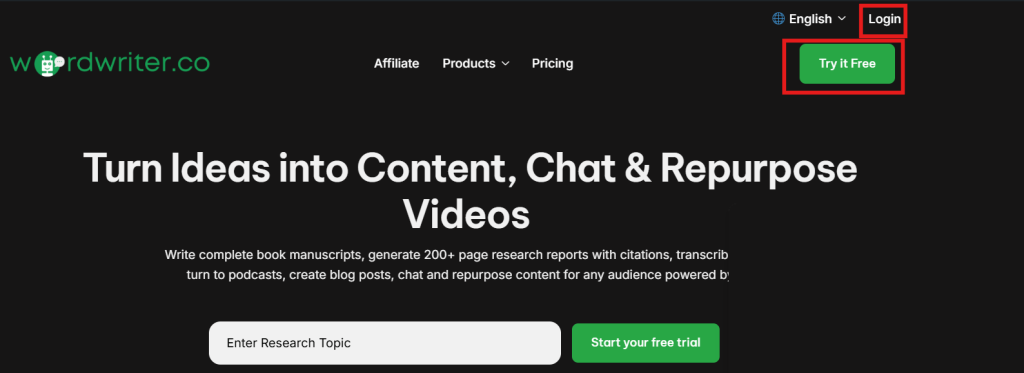
To use our AI welcome email generator, you have to be signed in to WordWriter to be able to access the AI dashboard.
Step 2: Navigate to Writer Templates
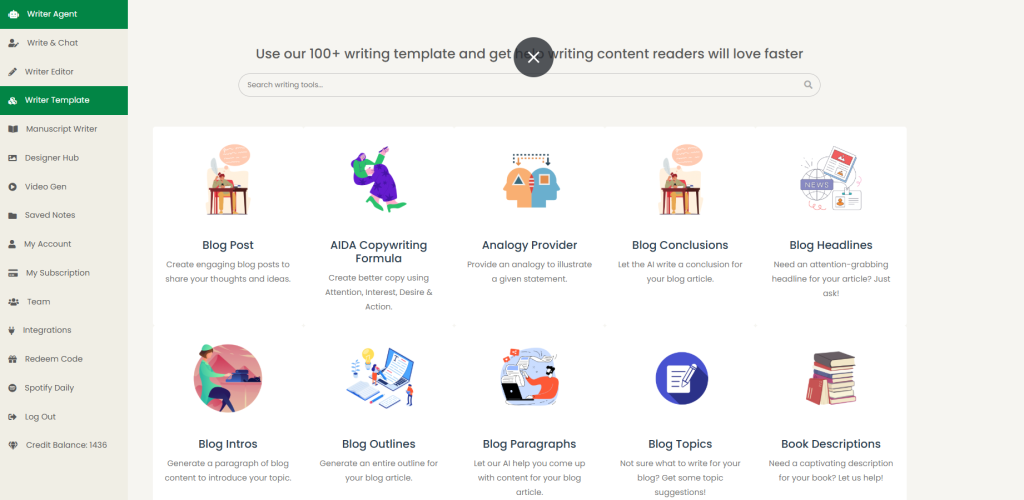
Once signed in, navigate to the Writer Templates section located in the top left corner of the page.
Step 3: Find the Welcome Email Template
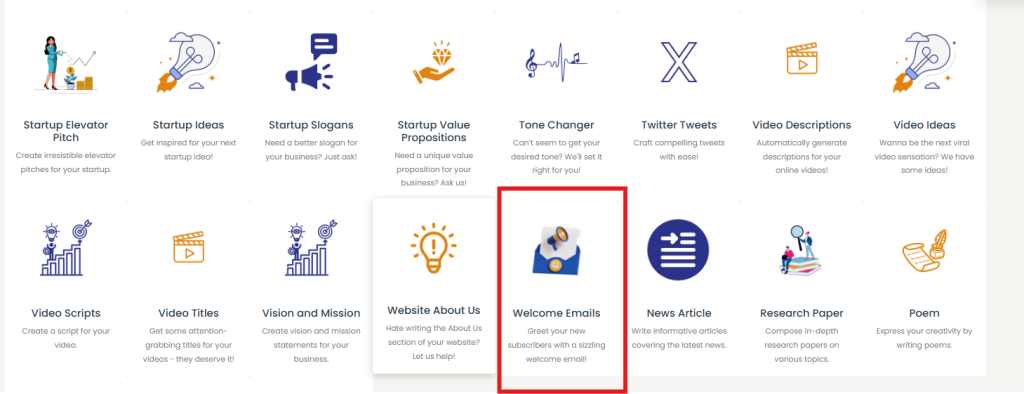
You have two options to locate the welcome email template:
- Use the Search Bar: Simply search for “welcome email template” for quick access
- Browse by Scrolling: Scroll through the available templates to find the welcome email option
Step 4: Follow the Prompts
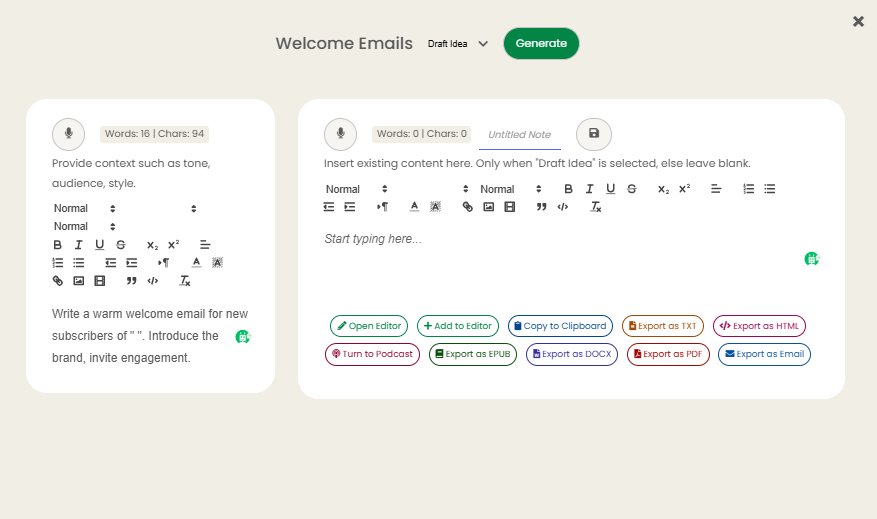
Once the template is opened, follow the guided prompts to customize your welcome email settings and preferences.
Step 5: Generate Your Email
Click on the “Generate” button to create your personalized welcome email.
Step 6: Get Your Results
Your AI-generated welcome email results should be ready in just minutes, giving you professional, personalized content instantly.
Conclusion
