
How to Create Landing Page Copy Using AI: A Complete Guide
Learning how to create landing page copy using AI allows marketers to draft high-converting web pages in minutes by leveraging machine learning algorithms to generate persuasive text. By combining automated writing tools with human strategy, businesses can produce targeted, compelling, and optimized content at scale. A recent study by the Marketing Artificial Intelligence Institute found that 64 percent of marketing professionals consider AI tools critical to their current content creation processes.
Using artificial intelligence is no longer just about saving time; it is about raising your baseline conversion rate. This guide balances the operational benefits of AI writing tools with the practical, hands-on instructions you need to build a high-performing landing page today.
Key takeaways
Optimizing landing pages with machine learning provides instant structure, speeds up drafting time, and increases conversion potential.
- Efficiency gains: AI tools reduce the initial copywriting draft phase by up to 50 percent.
- Framework alignment: Artificial intelligence easily applies proven marketing frameworks like AIDA (Attention, Interest, Desire, Action) or PAS (Problem, Agitate, Solve).
- Enhanced personalization: Algorithms can quickly adapt a single core message for different buyer personas.
- Human oversight required: The best results come from a hybrid model where AI drafts the content and a human editor refines the brand voice.
Why should you learn how to create landing page copy using AI?
Using artificial intelligence to draft marketing copy increases conversion rates by running rapid multivariate tests on headlines, calls to action, and value propositions. In a competitive digital landscape, the speed of testing makes a significant difference. According to HubSpot research, landing pages are one of the top three use cases for generative AI, with 35 percent of marketers utilizing these tools to create page elements.
The benefits of utilizing automated tools for your landing pages include:
- Eliminating blank-page syndrome: Instead of starting from scratch, you begin with multiple structured layouts and headlines.
- Cost-effective scaling: You can generate dozens of localized or audience-specific landing pages without paying for extensive agency hours.
- Data-driven formatting: AI models are trained on millions of high-performing web pages, meaning they naturally understand where to place headings, bullet points, and buttons.
By integrating automated generation into your workflow, you transition from a writer to an editor, spending your valuable energy on strategic positioning rather than syntax.
How to create landing page copy using AI in five steps
Creating optimized landing page copy with artificial intelligence requires a structured approach that combines clear prompts, audience data, and human editing. Simply asking an AI to “write a landing page” will yield generic, uninspired results. Follow this five-step process to produce copy that resonates with your audience and drives action.
1. Define your target audience and core offer
Before opening any software, define your target customer and the specific solution you are presenting. Clearly state who the product is for, what pain point it solves, and what action you want the visitor to take. This foundational data will serve as the background information for your AI prompts.
2. Craft highly specific prompts
The quality of your landing page copy depends entirely on the specificity of your prompts. To get the best results, feed the generator a role, a context, a goal, and constraints.
For example, use a prompt like this: “Act as an expert conversion copywriter. Write a landing page for a B2B project management software designed for remote creative agencies. The goal is to get users to sign up for a 14-day free trial. Use the PAS framework, keep the tone professional yet approachable, and write in short, punchy sentences.”
3. Generate the core page elements
Instead of asking for the entire page at once, generate your landing page section by section. This structured approach prevents the AI from losing track of the context. Focus on these core elements individually:
- The Hero Section: Ask for five variations of a benefit-driven headline and a supporting subheadline.
- The Problem and Solution: Generate copy that addresses the customer’s main struggle and introduces your product as the answer.
- The Features and Benefits: Translate your product’s technical specs into clear user benefits using bulleted lists.
- Social Proof Placeholders: Instruct the tool to draft transition text that frames your customer testimonials.
- The Call to Action (CTA): Generate action-oriented button text that focuses on value rather than the friction of signing up.
4. Inject your unique brand voice
AI models default to safe, generic language unless you instruct them otherwise. Review the generated copy and replace industry jargon with your company’s actual terminology. Add specific details, unique metaphors, or internal research that an AI would not have access to.
5. Format and refine for readability
Most web visitors scan landing pages rather than reading every word. Format your generated copy into short paragraphs of one to three sentences. Use bold text for key phrases, break up walls of text with subheadings, and ensure that your calls to action stand out visually on the page.
out visually on the page.
How to create landing page copy using WordWriter: A step-by-step guide
WordWriter takes the guesswork out of landing page copywriting with a dedicated template that walks you through the entire process. You do not need to craft complex prompts from scratch or worry about structure. Here is exactly how to use it.
Step 1: Sign in to your WordWriter account
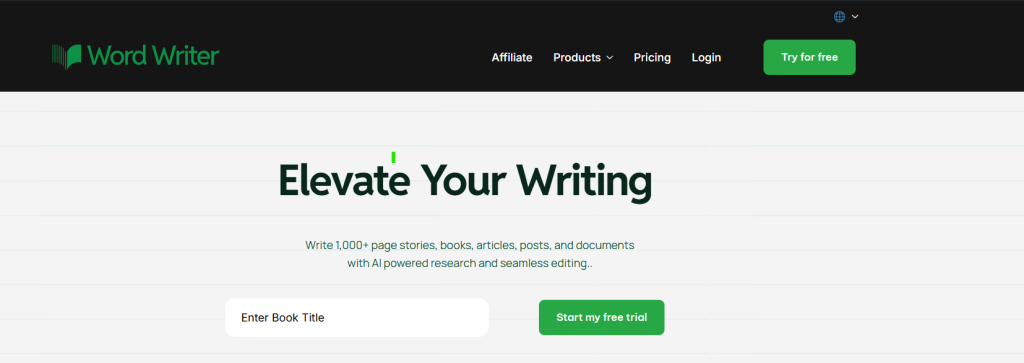
Go to wordwriter.co and sign in to your account. If you do not have one yet, create a free account to get started.
Step 2: Go to your dashboard
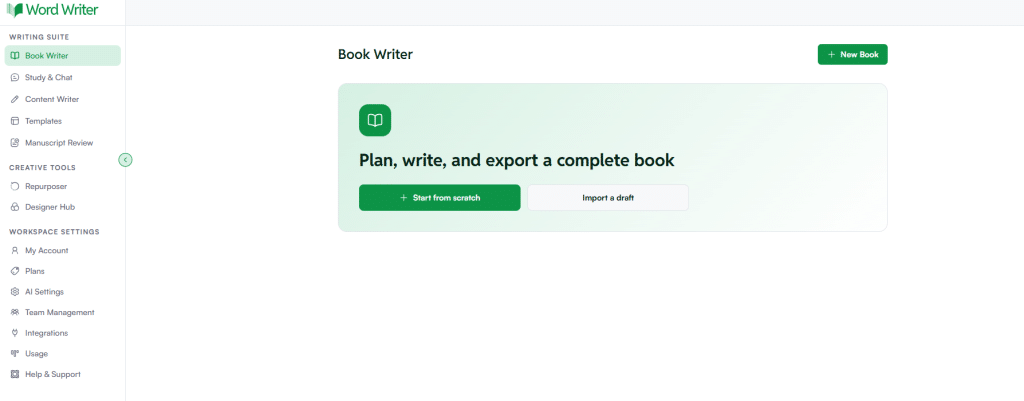
Once you are logged in, you will land on your WordWriter dashboard where all your projects and tools are accessible.
Step 3: Open the Templates library
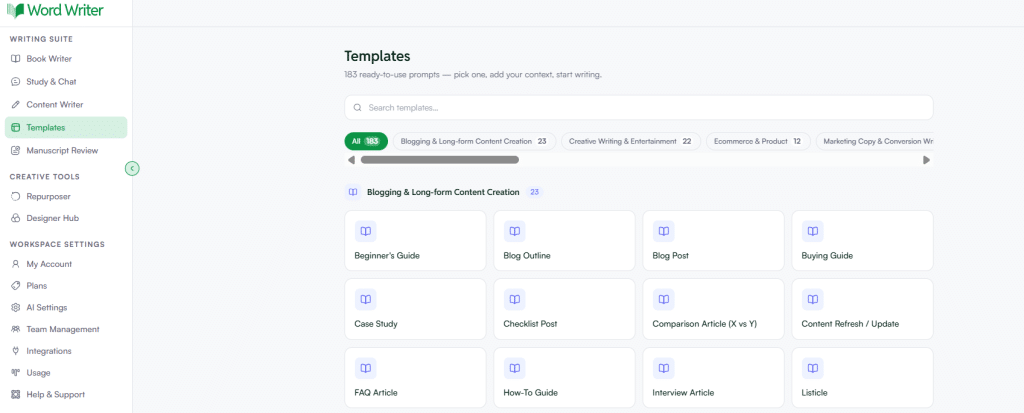
On the left side of your screen, tap on Templates to open the full template library.
Step 4: Search for the landing page copy template
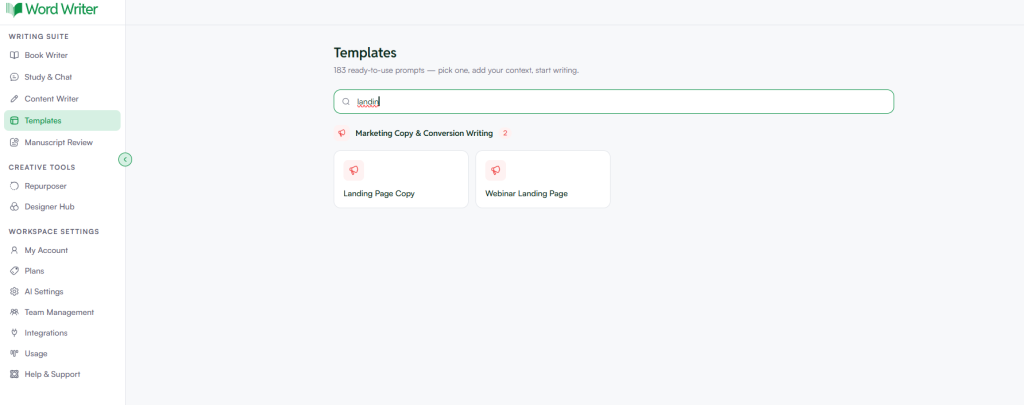
Browse the available templates or use the search bar to look up “landing page copy.” The search makes it easy to find the right template without scrolling through the entire library.
Step 5: Open the template and generate your copy
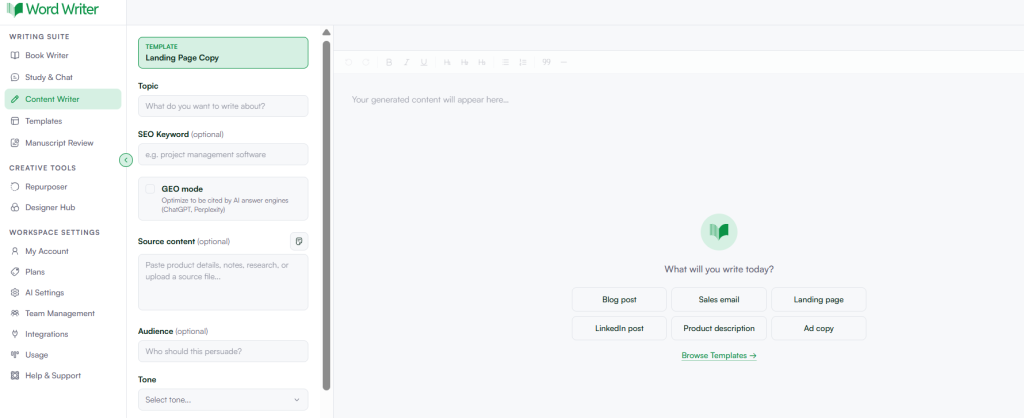
Tap on the landing page copy template to open it. Fill in the required fields with your product details, target audience, tone preference, and conversion goal. When you are ready, hit generate and WordWriter will produce structured, conversion-focused landing page copy instantly.
From there, review the output, make any brand-specific edits, and paste it directly into your page builder or CMS
What are the best practices for AI landing page copywriting?
The most effective AI copywriting practices focus on maintaining authenticity, keeping sentences concise, and aligning the generated text with search engine optimization goals. While machine learning can produce vast amounts of text, quality control remains your responsibility.
- Apply the rule of one: Each landing page should focus on one primary audience, one core offer, and one clear call to action.
- Prioritize benefits over features: Ensure the generated copy explains what the user gains, not just what the product does.
- Fact-check everything: AI models can sometimes hallucinate statistics or claims, so always verify your facts before publishing.
- Optimize for mobile: Ensure the headlines are short enough to look compelling on a mobile screen without wrapping into four or five lines.
- A/B test your variations: Use the different headline options generated by the AI to run live split tests on your site to see which one converts better.
FAQ
Can AI write landing pages that actually convert?
Yes, AI can write highly converting copy when guided by precise customer personas and structured marketing frameworks. Because these tools are trained on successful historical marketing data, they excel at replicating persuasive writing structures like AIDA (Attention, Interest, Desire, Action).
Will search engines penalize AI-generated landing page copy?
Google does not penalize high-quality, helpful content created by AI as long as it is designed for human readers and optimized for user experience. The key is to avoid publishing unedited, repetitive, or keyword-stuffed automated text that provides no real value to the visitor.
What details should I include in my AI copy prompts?
You should include your target audience, product benefits, desired tone of voice, character limits, and specific conversion goals. Providing real customer testimonials or competitor comparisons within the prompt also helps the generator produce highly customized copy.
How does AI improve landing page conversion rates?
AI improves conversions by offering multiple variations of headlines and hooks for A/B testing, helping you find the message that resonates best. It also ensures that the structural layout of the copy adheres to proven psychological principles of online sales.
Do I need to edit the copy that AI generates?
Yes, editing is crucial to ensure brand alignment, check for factual accuracy, and add a unique human touch. AI can generate the structural foundation of your copy, but human writers must polish the tone and verify that all claims are truthful.
Conclusion
Implementing artificial intelligence in your marketing workflow bridges the gap between initial ideation and final deployment, saving resources while maximizing output. By utilizing the structured steps and best practices outlined above, you can confidently build landing pages that capture attention and drive conversions.
Ready to streamline your writing process and launch your next campaign in record time? Try wordwriter AI landing page copy generator today
