
What Is an AI Writing Assistant? A Beginner’s Guide
The bloggers publishing three, four, five posts a week aren’t working harder than you. They’ve just stopped doing everything manually.
An AI writing assistant handles the stages of content creation that eat the most time, ideation, outlining, drafting, repurposing, so you can focus on the part that actually requires your brain: making the content worth reading.
This guide breaks down what an AI writing assistant is, what it can do for bloggers specifically, and how to use one effectively.
What Is an AI Writing Assistant?
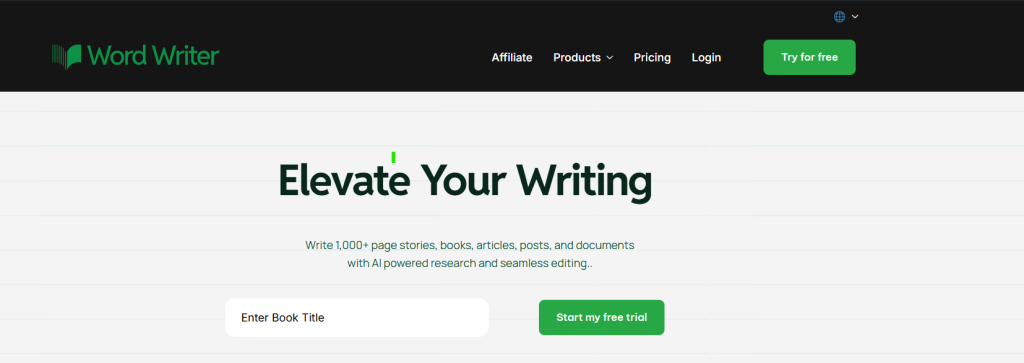
An AI writing assistant is a software tool that uses artificial intelligence to help you create, improve, and organize written content. It can generate ideas, build outlines, write full drafts, suggest edits, and even optimize your content for search engines, all from a simple prompt or a few keywords.
Unlike basic grammar checkers that only fix spelling and punctuation, a proper AI writing assistant understands context. You can tell it your topic, your audience, and your tone, and it will produce content that fits your brief rather than just fixing what you’ve already written.
For bloggers, this means less time grinding through first drafts and more time refining, personalizing, and publishing.
Related: How to write a cold email using AI
What Can an AI Writing Assistant Actually Do?
The best AI writing assistants handle multiple stages of the content creation process, not just one. Here’s where they’re most useful for bloggers:
- Generate blog topic ideas. When your idea bank runs dry, an AI writing assistant can produce dozens of topic angles based on your niche, target audience, or a seed keyword. It’s faster than brainstorming alone and often surfaces angles you wouldn’t have considered.
- Build outlines quickly. A strong outline is the difference between a focused post and a rambling one. AI tools can structure a full outline with H2s and H3s based on your topic in seconds, giving you a clear roadmap before you write a single paragraph.
- Draft content from scratch. This is the core feature. Give the tool your topic, a brief description, and your target keyword, and it produces a working draft. The draft won’t be perfect, but it gives you a solid foundation to edit from, which is almost always faster than writing from nothing.
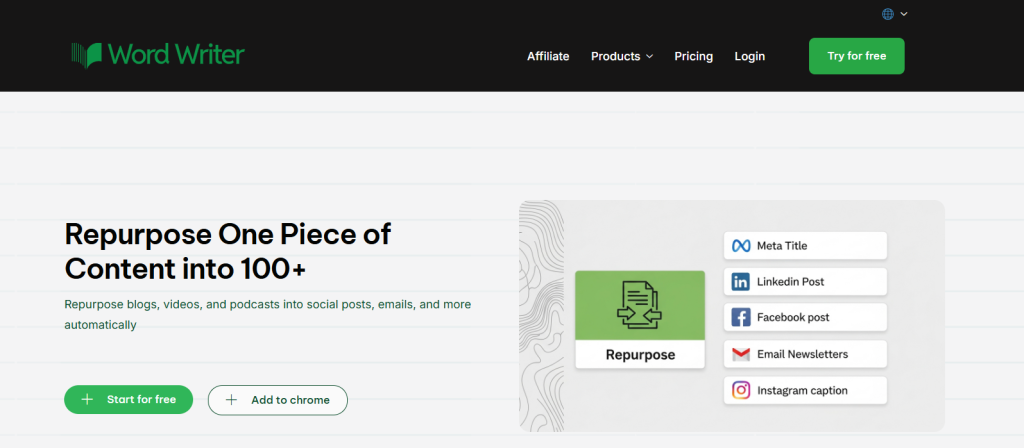
- Repurpose existing content. A good AI writing assistant can take a blog post you already published and reshape it into a LinkedIn article, a newsletter section, a Twitter thread, or a script for a video. WordWriter’s Repurposer feature does exactly this, helping you stretch one piece of content across multiple platforms without starting from scratch every time.
- Improve readability and flow. AI tools can review a draft and suggest clearer phrasing, shorter sentences, or smoother transitions. This is especially useful when you know something reads clunky but you’re too close to the work to see the fix.
- Optimize for SEO. Many AI writing assistants will suggest where to place your primary keyword, how to write your meta description, and what related terms to include. This removes a lot of the guesswork from on-page SEO.
How to Use an AI Writing Assistant as a Blogger
Getting results from an AI writing assistant comes down to how you use it. The tool is only as good as the instructions you give it.
Start with a clear brief
Before generating anything, decide on your topic, your target keyword, your audience, and the angle you want to take. The more specific your prompt, the more useful the output. “Write a blog post about productivity” gives you a generic draft.
“Write a 1,500-word how-to guide on productivity for freelance writers who struggle with distractions” gives you something much closer to what you actually need.
Use it for the stages you find most draining
Not every part of blogging feels equally hard. Some people love the research but dread the first draft. Others are fast writers but hate outlining. Identify where you lose the most time and let the AI handle that stage while you focus on what you do well.
Always edit the output.
AI writing assistants produce drafts, not finished articles. Read through everything it generates, add your own examples, check any facts or statistics it includes, and rewrite any section that doesn’t sound like you. The goal is to use AI to produce more content, not to publish content that feels like it was written by a machine.
Keep your voice in the final version
Your readers follow your blog because of how you write, not just what you write about. Use the AI draft as a structure, then go through and inject your personality, your opinions, and your specific experiences. That’s what makes the content yours.
Use it to beat writer’s block
Even if you don’t want AI to write entire posts for you, it’s incredibly useful as a starting point when you’re stuck. Ask it for an intro paragraph or a list of subheadings. Once you have something to react to, the rest usually comes easier.
What to Look for in an AI Writing Assistant for Bloggers
Not all AI writing tools are built the same. If you’re a blogger, here’s what matters most:
- Ease of use. You don’t want to spend twenty minutes setting up a prompt template every time you need a draft. A good tool should be intuitive from the first session.
- Content repurposing features. A tool that helps you get multiple pieces of content out of a single source is far more valuable than one that only generates from scratch.
- SEO support. The ability to optimize as you write, rather than going back and adding keywords manually, saves a significant amount of time and reduces the chance of missing something.
- Quality of output. The draft should be coherent, relevant, and close enough to your brief that editing is efficient, not a rewrite from scratch.
WordWriter covers all of these. It’s built specifically for content creators who need to produce quality writing consistently, with features that support everything from first draft generation to cross-platform repurposing.
Final Thoughts
An AI writing assistant isn’t a shortcut that lowers the quality of your blog. Used correctly, it’s a tool that makes consistent, high-quality blogging sustainable.
The bloggers getting the most out of these tools aren’t the ones using AI to replace their thinking. They’re the ones using it to remove friction — the blank page problem, the outline bottleneck, the hour spent reformatting one post for three different platforms.
If you’ve been curious about AI writing assistants but haven’t committed to one yet, WordWriter is a good place to start. It’s built for bloggers, handles multiple parts of the content workflow, and lets you stay in control of your voice and your content.
Try it, edit the output, and see how much more you can publish in the same amount of time.
