
How to Write a Resignation Letter Using AI
Learn how to write a resignation letter using AI — WordWriter helps you craft professional, respectful farewell letters in minutes, no stress, no blank page.
Leaving a job is never easy. Whether you have landed your dream role, are making a career pivot, or simply need a fresh start, one thing is certain: you need to resign the right way. And that starts with a well-written resignation letter.
For many people, staring at a blank page trying to find the right words is one of the most stressful parts of the entire process. How do you sound professional without being cold? How do you express gratitude without sounding insincere? How do you keep it concise without leaving out important details? These are real questions, and they trip up even the most experienced professionals.
In this article, we’re going to be talking about what a resignation letter actually needs to do, a simple step-by-step guide to writing one using WordWriter, and a few real examples of what the final result looks like.
Let’s dive in!
What Is a Resignation Letter?
A resignation letter is a formal written notice to your employer informing them that you are leaving your position. It is typically submitted to your direct manager or HR department and serves as an official record of your departure.
A good resignation letter usually includes:
- A clear statement of your intention to resign
- Your last working day (based on your notice period)
- A brief, optional reason for leaving
- Gratitude for the opportunity and experience
- An offer to assist with the transition
Even if you are leaving on bad terms, a professional resignation letter protects your reputation, preserves relationships, and keeps doors open for future references. It does not need to be long; in fact, brevity is often better. But it does need to be right.
How to Write a Resignation Letter Using AI: Step-by-Step
Step 1: Log In or Create an Account
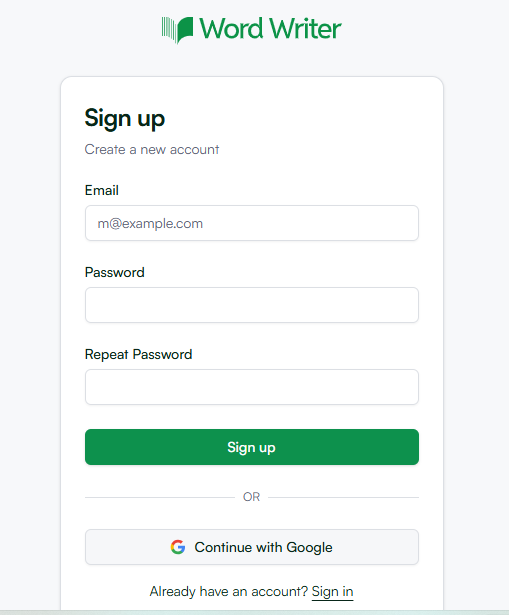
Head over to WordWriter and log in to your account. If you do not have one yet, creating an account takes less than a minute. Simply sign up with your email address, set a password, and you are in
Step 2: Navigate to the Templates Section
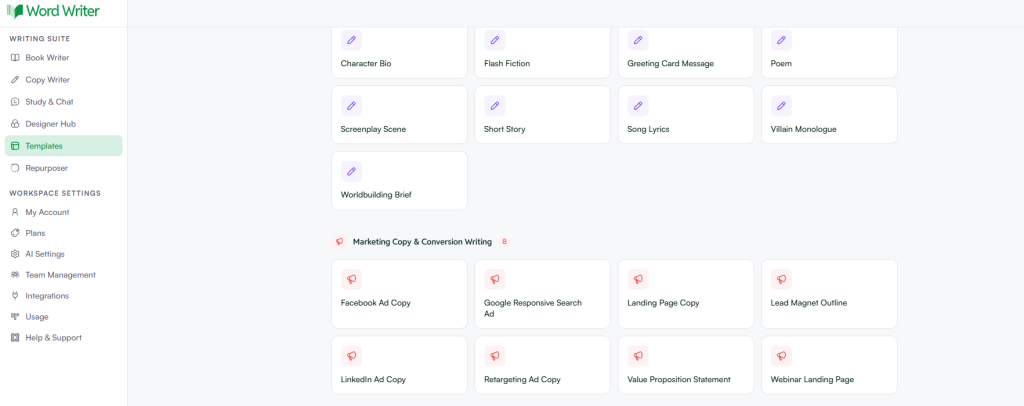
Once you are logged in, go to the Templates section from the main dashboard. WordWriter offers a wide library of pre-built templates for different writing needs — from blog posts and cover letters to business emails and formal documents.
Step 3: Search for “Resignation Letter”
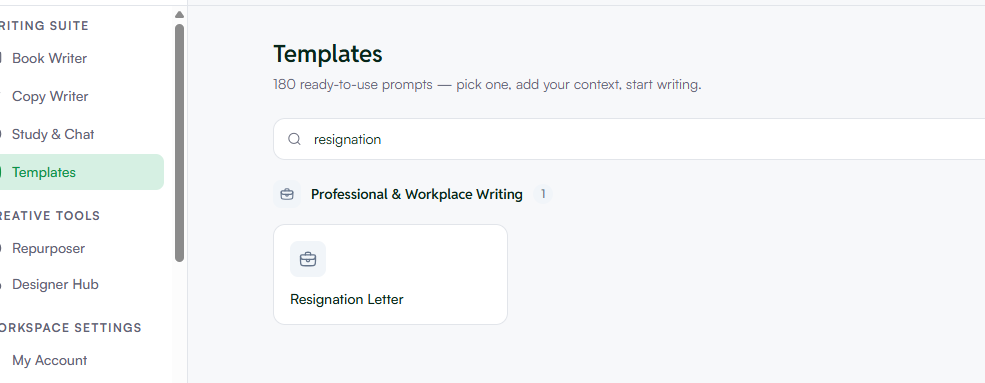
In the templates search bar, type “Resignation Letter” and hit enter. The relevant template will appear. Click on it to open the template and get started.
Step 4: Fill In the Quick Preset Area
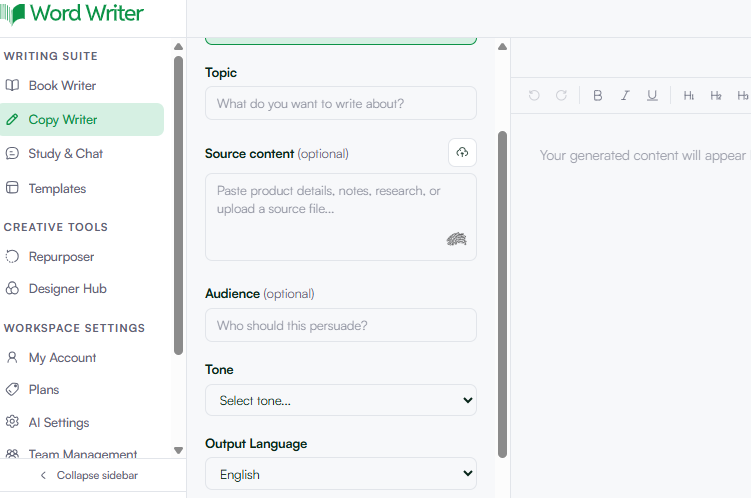
This is where the magic happens. WordWriter’s quick preset panel allows you to customize your resignation letter before the AI generates it. You will see the following fields:
Topic This is where you briefly describe what the letter is about. For example: “Resignation from my role as Marketing Manager at ABC Company, effective two weeks from today.” The more specific you are here, the better the output.
Source Content (Optional) If you have any existing notes, a draft, or key points you want included, you can paste them here. This is entirely optional — if you leave it blank, the AI will generate the letter based on your other inputs alone.
Audience (Optional) Specify who will be reading the letter. For example: “My direct manager and HR department.” This helps the AI calibrate the right level of formality and tone.
Tone Select the tone that best fits your situation. WordWriter offers several options:
- Professional — Ideal for most resignation scenarios; clear, respectful, and business-appropriate
- Casual — Better suited for close-knit work environments where relationships are informal
- Persuasive — Useful if you want to frame your departure in a particular light
- Informative — Good for letters that focus heavily on transition details
- Creative — Best for industries and roles that appreciate a more expressive voice
- Formal — For corporate or legal environments where strict formality is expected
- Humorous — Only appropriate in very specific, close relationships — use with caution
For most resignation letters, Professional or Formal is the safest and most effective choice.
Output Language Choose the language you want your letter written in. WordWriter supports: English, Español (Spanish), Français (French), Deutsch (German), Português (Portuguese), Italiano (Italian), Nederlands (Dutch), Polski (Polish), Türkçe (Turkish), Svenska (Swedish), 日本語 (Japanese), and Bahasa Indonesia.
Word Count Select your preferred length:
- 500 words — Short and to the point; recommended for most resignation letters
- 1K words — Suitable if you want to include more context or detailed transition plans
- 2K words — For longer, more elaborate formal letters
- 5K+ — Rarely needed for a resignation letter, but available for comprehensive documents
For a resignation letter, 500 words is usually all you need.
Add Context Use this field to provide any additional details you want the AI to factor in — such as your reason for leaving, specific achievements you want to acknowledge, or particular sentiments you want to express. The more context you give, the more personalized your letter will be.
Once all your fields are filled in, click Generate and let WordWriter do its work.
Step 5: Edit in the Editor
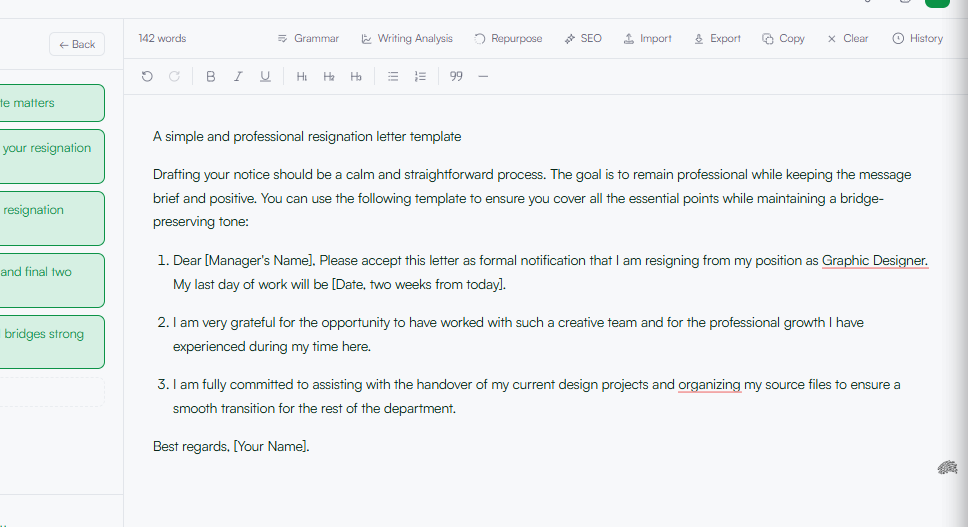
WordWriter will produce a complete, ready-to-use resignation letter in seconds. But before you send it, take a moment to review and personalize it in the built-in editor.
Look out for:
- Accuracy of names, dates, and your notice period
- Tone — make sure it sounds like you
- Any details you want to add or remove
- Spelling and formatting
The editor gives you full control to tweak, refine, or restructure the letter until it is exactly right. Once you are satisfied, your letter is ready to copy, download, or send.
Related: How to use AI for website’s about us page
Conclusion
Writing a resignation letter no longer has to be a source of anxiety. With WordWriter, you can go from a blank page to a professionally crafted letter in just a few minutes — whether you need something formal and corporate, or warm and conversational.
The process is simple: log in, find the resignation letter template, fill in your details, choose your tone and word count, generate, and polish in the editor. That is all it takes.
Your resignation letter is often the last impression you leave with an employer — make sure it reflects the professional you are. WordWriter gives you the tools to do exactly that, so you can close one chapter and step confidently into the next.
