
How to write a case study using AI

Case studies are the ultimate “social proof” for any business. They take a success story and turn it into a roadmap that proves your product or service actually works. However, let’s be honest: writing a case study is a massive chore. It involves interviewing clients, digging through data, and trying to tell a story that doesn’t sound like a boring textbook.
In 2026, you don’t have to do the heavy lifting alone. AI can help you transform raw data and messy interview notes into a compelling narrative that closes deals.
In this article, we’re going to talk about the “Problem-Solution-Result” framework and how you can use AI to build a case study that shines.
Let’s dive in.
What is a Case Study?
A case study is a detailed story of how your business helped a specific client solve a problem. It’s not just a testimonial; it’s a deep dive into the “before and after.”
A great case study serves three purposes:
1. Builds Trust: It proves you’ve done this before.
2. Educates: It shows potential customers exactly how your process works.
3. Overcomes Objections: It answers the “Will this work for me?” question with cold, hard facts.
The Classic Structure
To keep your readers engaged, almost every successful case study follows this flow:
- The Challenge: What was the “pain point” the client was facing?
- The Solution: How did you step in to help?
- The Results: What were the measurable outcomes (numbers, percentages, growth)?
How AI Can Help You Write Your Case Study
AI acts as your primary editor and researcher. Here is how it speeds up the process:
- Turning Notes into Narrative: You can feed AI your rough interview notes or bullet points, and it will turn them into professional, flowing paragraphs.
- Finding the “Angle”: AI can analyze your data and suggest the most exciting way to tell the story—focusing on the most impressive stats.
- Headline Generation: AI can create “scroll-stopping” titles like $2M in Revenue: How [Client] Used Our System to Scale.
- Formatting for Different Platforms: AI can take one long case study and instantly turn it into a LinkedIn post, an email blast, or a PDF summary.
How to Create a Case Study on WordWriter
If you want a professional result without spending three days writing, WordWriter is the most efficient tool to use. Here is the simple step-by-step process:
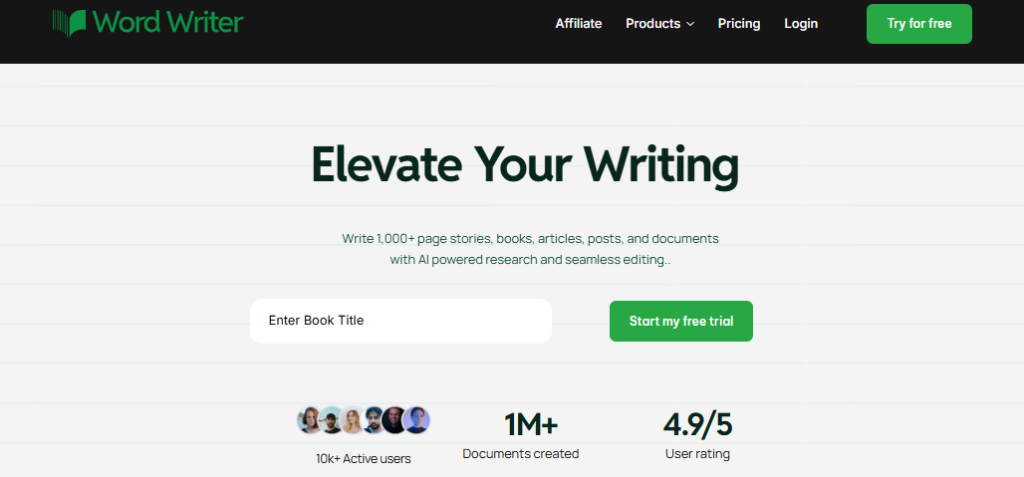
Step 1: Log In
Access your WordWriter account and head to your dashboard.
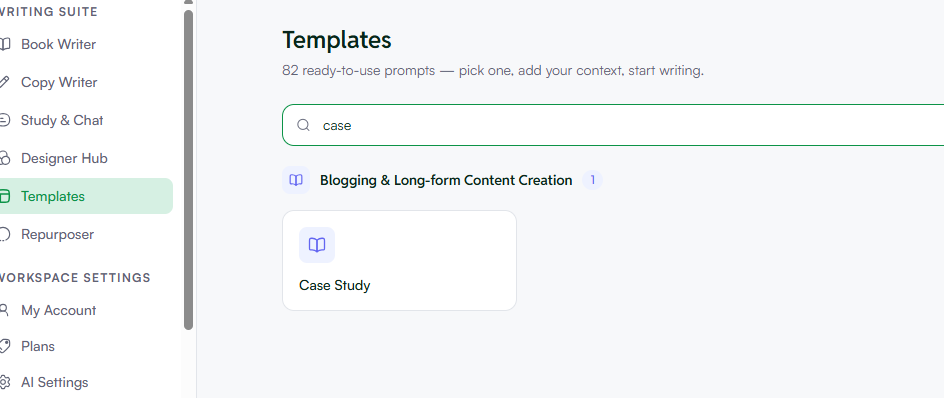
Step 2: Find the Case Study Template
Go to the Templates section in the side menu. Use the search bar to find “Case Study”. WordWriter has specific frameworks designed to follow the “Problem-Solution-Result” logic.
Step 3: Input Your Raw Data
This is the most important part. You don’t need to write full sentences. Just “tamper” with the instruction boxes and provide the following:
- The client’s industry.
- The specific problem they had.
- The key stats (e.g., “Increased traffic by 40%”).

Step 4: Customize the Tone and Length
Within the WordWriter interface, you can adjust everything to your preference. If your brand is high-energy, set the tone to “Persuasive” or “Exciting.“ If you are writing for a corporate client, switch it to “Professional.” You can also set your desired word count to ensure it stays concise.

Step 5: Generate and Export
Click Generate. WordWriter will stitch your data into a beautiful, logical story. Once you are happy with the draft, you can download it as a PDF to send to leads or as a .DOCX file for further editing.
Conclusion
A case study is one of the most powerful sales tools in your arsenal, but it shouldn’t take forever to create. By leveraging AI, you can move from a blank page to a finished success story in minutes.
WordWriter is the best platform for case study writing because it understands the balance between data and storytelling. It’s simple to use, fast to edit, and ensures your business looks like the expert it truly is. If you have happy clients but no written proof yet, today is the day to change that!
