
AI Manuscript Review: How to Get a Full Editor’s Feedback on Your Book in Minutes
Every writer hits the same wall after finishing a draft. You know something is off, but you can’t tell what. A developmental editor could tell you, but that costs money and takes weeks.
WordWriter’s AI Manuscript Review tool gives you that same depth of feedback instantly. Upload your draft, and the tool reads your entire manuscript across every dimension: structure, prose, characters, and market fit.
Here’s exactly what the tool does and how to use it.
What Is the AI Manuscript Review Tool?
The AI Manuscript Review is a developmental editing tool built into WordWriter. Instead of skimming a few pages or giving generic writing tips, it reads your full manuscript from start to finish and gives you a structured breakdown of what’s working and what isn’t.
It covers four core areas:
- Structure — pacing, plot arcs, and whether your story holds together
- Prose — sentence-level writing quality, voice, and clarity
- Characters — consistency, development, and motivation
- Market fit — how your manuscript compares to what’s selling in your genre
This is the same lens a professional developmental editor uses, minus the wait time and the invoice.
Related: 10 Best AI Book Writing Tools for 2026
How to Use the AI Manuscript Review Tool
Step 1: Add Your Title
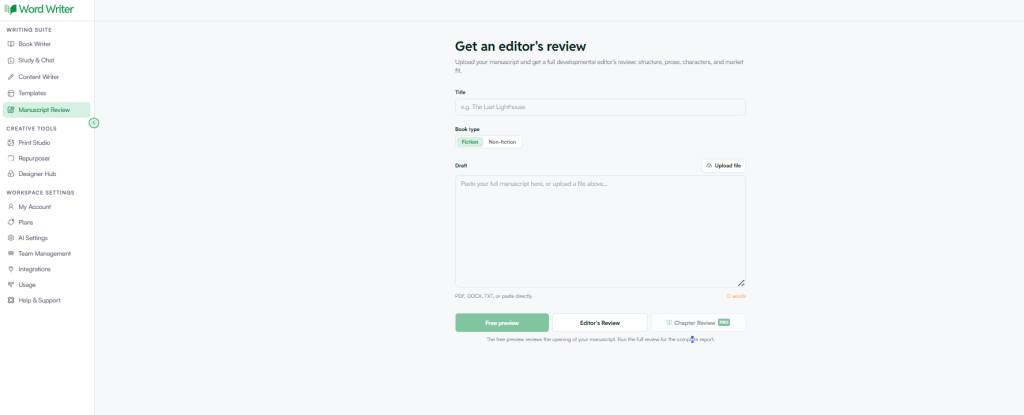
Start by entering your book’s title in the Title field. This helps WordWriter frame the review around your project instead of giving generic notes.
Step 2: Select Your Book Type
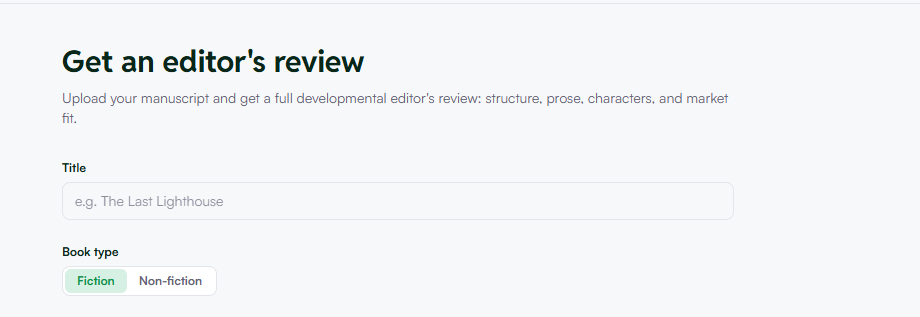
Choose between Fiction and Non-fiction. This matters because the tool evaluates different things depending on genre. Fiction gets checked for plot and character arcs, while non-fiction gets checked for argument structure and clarity.
Step 3: Add Your Draft
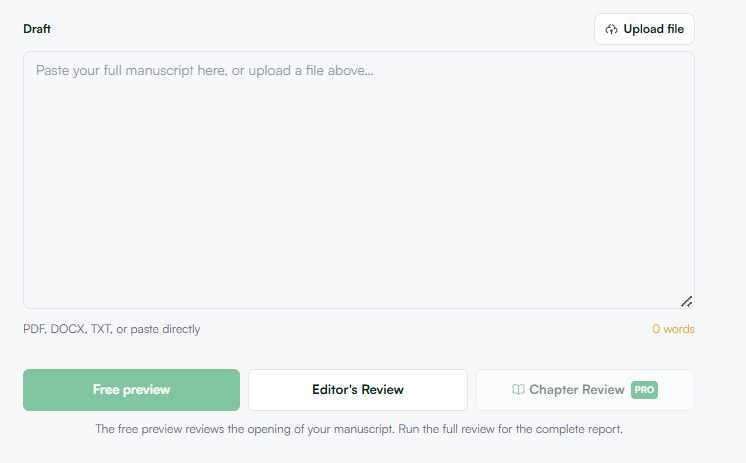
You have two options here:
- Upload a file: supports PDF, DOCX, and TXT formats
- Paste directly: copy and paste your manuscript straight into the draft box
Either way works. If your manuscript is already a formatted document, uploading is faster. If you’re pulling from multiple documents or notes, pasting gives you more control.
Step 4: Run the Review
Once your draft is in, you have two review options:
- Editor’s Review: a full developmental review across structure, prose, characters, and market fit
- Chapter Review (Pro): a more granular, chapter-by-chapter breakdown for writers who want line-level detail
The full Editor’s Review reads your entire manuscript across every dimension, so you get one complete report rather than fragmented notes.
Why Use an AI Editor Review Instead of a Human Editor First?
This isn’t about replacing human editors. It’s about knowing what to fix before you pay for one.
A developmental edit from a professional editor can cost anywhere from several hundred to several thousand dollars, depending on manuscript length. Running your draft through an AI manuscript review first means:
- You catch structural problems before they cost you editing fees
- You walk into a real editing relationship with a stronger draft
- You get instant feedback on revisions instead of waiting weeks between rounds
For self-published authors especially, this closes the gap between “I think it’s ready” and “I know what needs work.”
Who Should Use This Tool?
- First-time authors who need an objective second opinion before querying agents
- Self-published writers prepping a manuscript for launch
- Writers in revision who want to check if changes actually improved the draft
- Non-fiction authors who need feedback on argument clarity and structure, not just grammar
Get Your Manuscript Reviewed Today
If you’ve finished a draft and you’re not sure what to fix next, don’t guess. Upload your manuscript to WordWriter’s Editor’s Review and get a full developmental breakdown in minutes, not weeks.
Start your free AI manuscript review now and see exactly where your draft stands
