
How to Generate Brand Names Using AI
Coming up with the perfect brand name can be challenging. You want something memorable, unique, relevant to your industry, and easy to pronounce, but brainstorming these ideas manually can take hours or even days.
This is where AI-powered writing tools like WordWriter come in. With the right prompts and structure, WordWriter can help you generate creative, brand-ready name ideas in minutes.
In this guide, you’ll learn how to generate brand names using AI with WordWriter, step by step.
What Is AI Brand Name Generation?
AI brand name generation uses artificial intelligence to analyze language patterns, keywords, and brand context to suggest name ideas that align with your business goals.
Instead of starting from scratch, tools like WordWriter help you explore creative directions faster, giving you more options and better inspiration.
Why Use WordWriter for Brand Naming?
WordWriter is especially useful for brand name generation because it:
- Generates multiple brand name ideas instantly
- Allows detailed prompt customization
- Adapts names to different industries and tones
- Helps overcome creative blocks
- Supports iteration and refinement
Whether you’re naming a startup, product, SaaS tool, or personal brand, WordWriter makes the process faster and more structured.
What to Prepare Before Using WordWriter
Before generating brand names, clearly define:
- Your industry or niche
- Target audience
- Brand tone (modern, playful, premium, tech-focused, etc.)
- Core keywords related to your product or service
- Words or styles you want to avoid
This information helps WordWriter produce more relevant results.
Step-by-Step: How to Generate Brand Names Using WordWriter
Step 1: Open WordWriter and Select a Writing Prompt
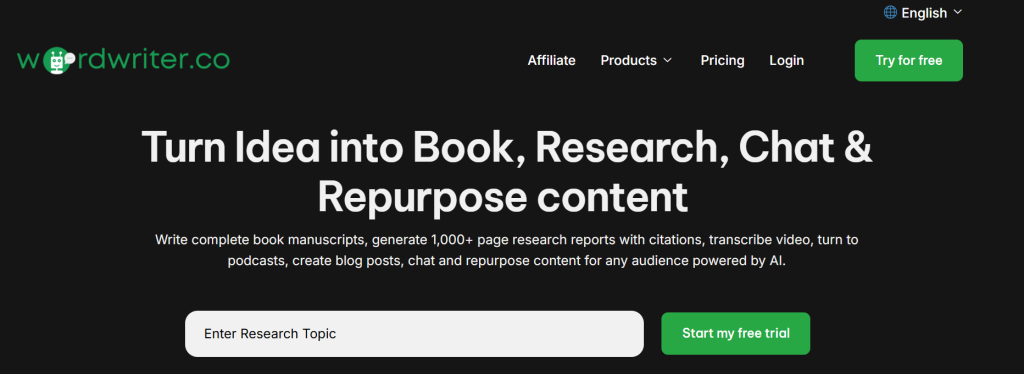
Log into WordWriter and open a new document or brand-related prompt. Make sure you’re working in a free-form or business writing mode for better creativity.
Step 2: Enter a Clear Brand Naming Prompt
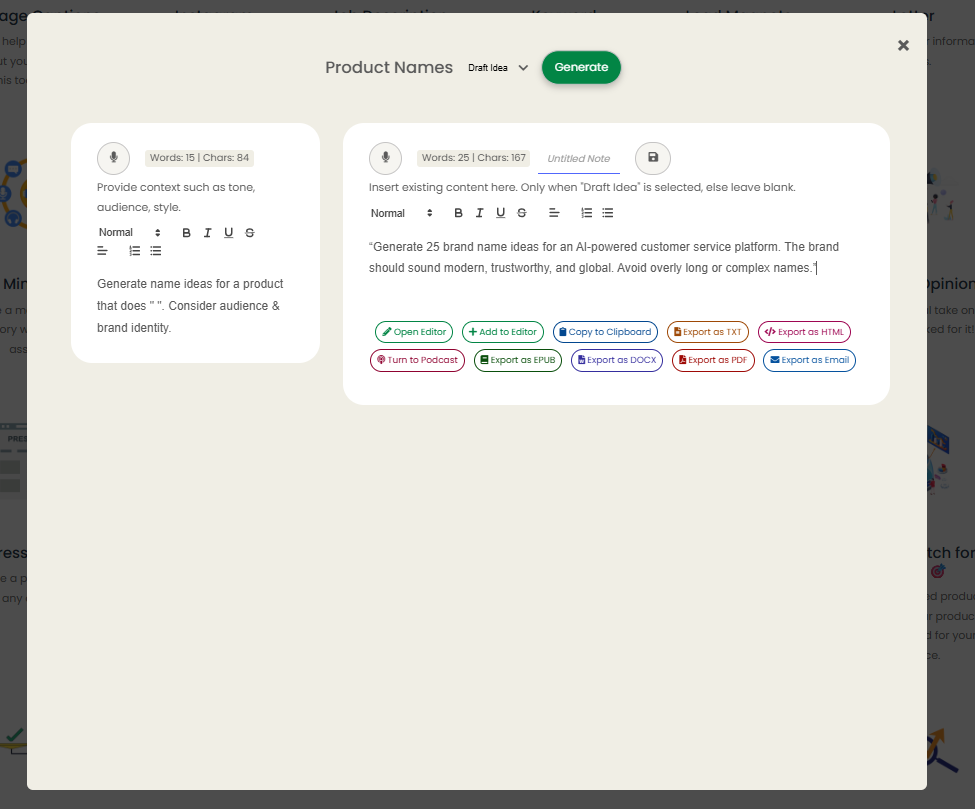
The quality of your output depends on how specific your prompt is.
Example Prompt:
“Generate 25 brand name ideas for an AI-powered customer service platform. The brand should sound modern, trustworthy, and global. Avoid overly long or complex names.”
Step 3: Review and Shortlist Suggestions
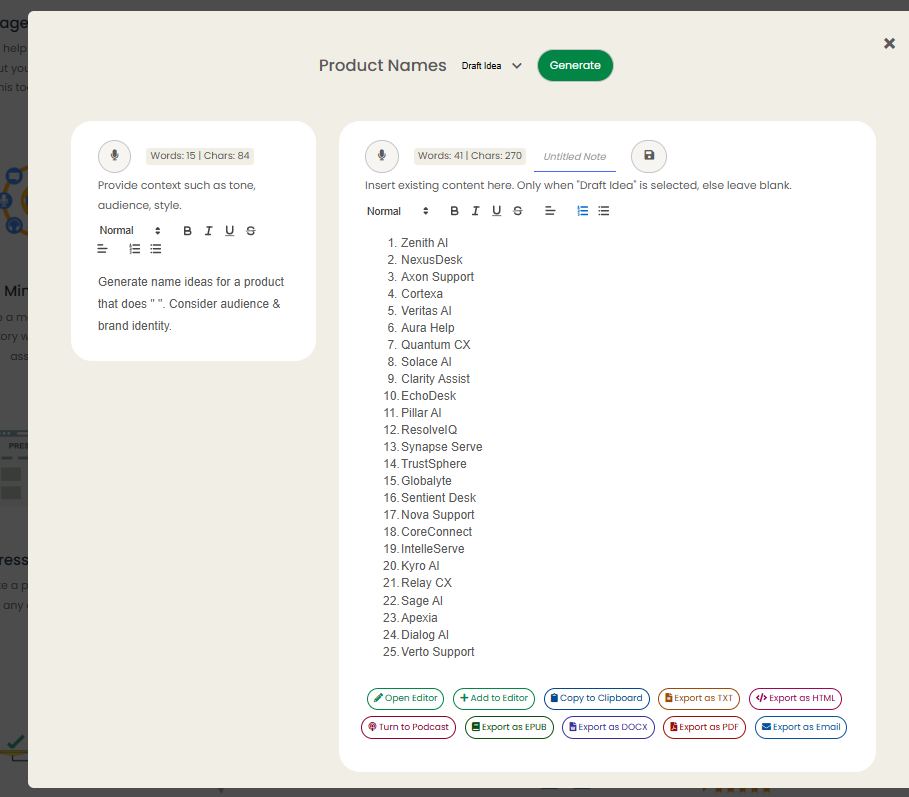
Go through the generated names and identify:
- Names that align with your brand values
- Easy-to-pronounce options
- Unique or memorable ideas
You can also ask WordWriter to explain the meaning behind each name.
Step 4: Refine with Follow-Up Prompts
Improve results by refining your prompt:
- Ask for shorter names
- Request abstract or descriptive styles
- Generate name + tagline combinations
- Ask for alternatives to shortlisted names
Step 5: Validate Your Brand Name
Once you have a shortlist:
- Check domain availability
- Verify social media handles
- Run trademark searches
- Test pronunciation and recall
AI helps with ideation, but validation ensures long-term brand success.
Tips for Getting Better Brand Names with WordWriter
- Be very specific in your prompts
- Include brand personality and emotions
- Ask for multiple naming styles in one prompt
- Use iteration instead of one-time generation
- Combine AI output with human judgment
Common Mistakes to Avoid
- Choosing the first generated name
- Ignoring brand alignment
- Skipping legal and domain checks
- Using names that are hard to spell or pronounce
Final Thoughts
WordWriter makes AI-powered brand naming simple and accessible. By combining clear prompts with thoughtful refinement, you can generate creative, relevant brand names in minutes—without the frustration of manual brainstorming.
AI won’t replace your vision, but with WordWriter, it becomes a powerful creative partner.
