
What is an AI Podcast? How to Create One
Podcasting has become one of the most popular ways people consume content today.
From education and storytelling to marketing and thought leadership, podcasts have transformed how information is shared allowing audiences to learn and connect while commuting, working, or relaxing.
However, starting a traditional podcast isn’t always easy or affordable.
Between recording equipment, studio time, editing software, hosting platforms, and production effort, the cost and technical requirements can be a major barrier especially for bloggers, businesses, and solo creators.
This is where AI podcasts are changing the narrative.
Related: Blog vs Podcast: Which Content Format Is Best for Your Business?
What Is an AI Podcast?

An AI podcast is an audio podcast created using artificial intelligence instead of traditional recording methods.
Rather than speaking into a microphone, creators can generate podcast episodes from existing content such as blog posts, articles, or scripts using AI-powered voice technology.
AI podcast tools typically:
- Convert written content into natural-sounding audio
- Use AI-generated voices instead of human recordings
- Automate editing, pacing, and audio formatting
- Reduce production time and cost significantly
In simple terms, an AI podcast allows creators to turn text into podcast episodes without recording, editing, or studio equipment.
How Does a Traditional Podcast Work?
A traditional podcast is created through a manual recording and production process where human voices are recorded, edited, and published as audio episodes. Unlike AI podcasts, traditional podcasts rely heavily on equipment, technical skills, and hands-on production.
Here’s how the process typically works:
1. Planning and Episode Preparation
Every traditional podcast starts with planning. This includes:
- Choosing a topic or episode theme
- Writing an outline or script
- Scheduling guests or co-hosts
- Deciding the episode format (solo, interview, panel)
This stage ensures the podcast is structured and engaging before recording begins.
2. Recording the Audio
The recording phase involves capturing human voices using:
- Microphones
- Audio interfaces
- Recording software
- A quiet recording environment or studio
Audio quality depends heavily on equipment, room acoustics, and speaking technique.
3. Editing and Post-Production
After recording, the raw audio must be edited. This includes:
- Removing mistakes and long pauses
- Cutting background noise
- Adjusting volume levels
- Adding intro/outro music and effects
Editing is often the most time-consuming part of traditional podcasting and may require specialized software and skills.
4. Hosting and Publishing
Once edited, the final audio file is:
- Uploaded to a podcast hosting platform
- Distributed to directories like Spotify and Apple Podcasts
- Published according to a release schedule
Each episode is typically uploaded manually.
5. Promotion and Distribution
After publishing, creators promote the podcast through:
- Social media
- Email newsletters
- Blog embeds
- Paid or organic marketing efforts
Consistent promotion is necessary to grow and retain an audience.
How to Create an AI Podcast with Wordwriter
Creating an AI podcast with Wordwriter is simple and requires no recording equipment or editing skills. Follow the steps below to turn your ideas, articles, or videos into an audio podcast you can listen to anywhere.
Step 1: Sign Up or Start a Free Trial
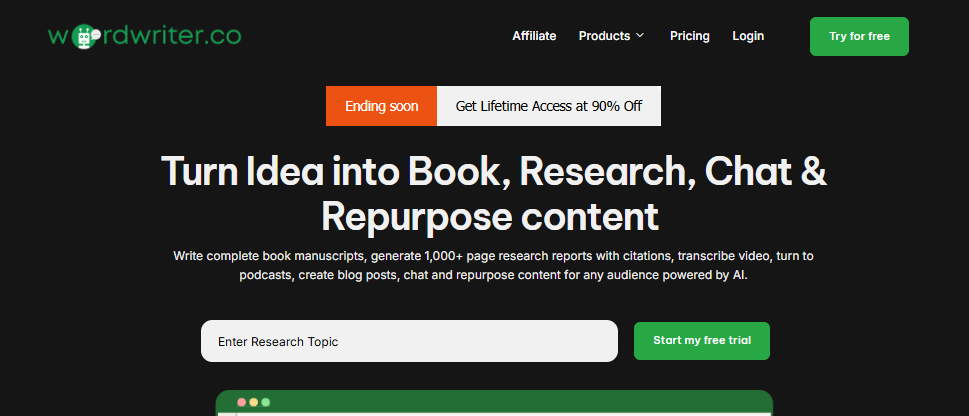
Begin by signing up for a Wordwriter account. New users can start with a free trial to explore the AI podcast feature before committing.
Once you’re signed in, you’ll have access to the podcast creation tools from your dashboard.
Wordwriter will use this input as the source content for your podcast episode.
Step 2: Open the Study & Chat Feature
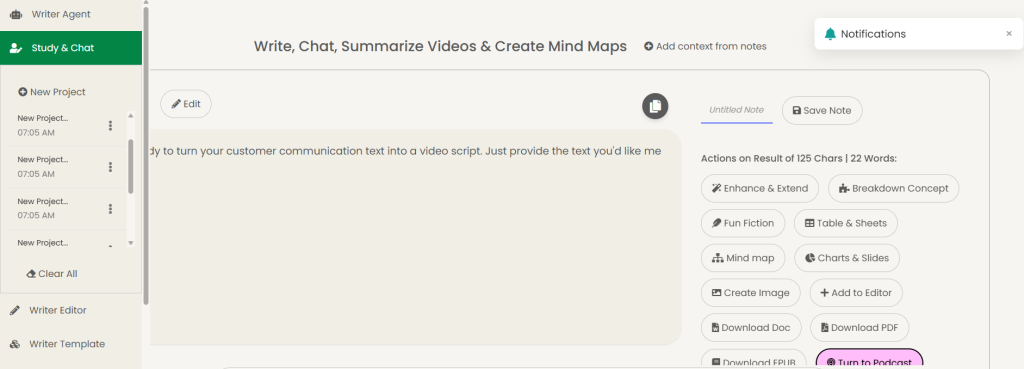
On your AI dashboard, navigate to the Study & Chat feature and click to open it.
Step 3: Enter Your Podcast Idea
In the chatbox displayed, type in the ideas or prompts you want the AI to generate content from. This could be a topic, outline, or full concept.
Step 4: Refine the Generated Idea
Review the AI’s response and continue interacting in the chat to refine the idea until you’re satisfied with the content and structure.
Step 5: Access Add-ons and Features
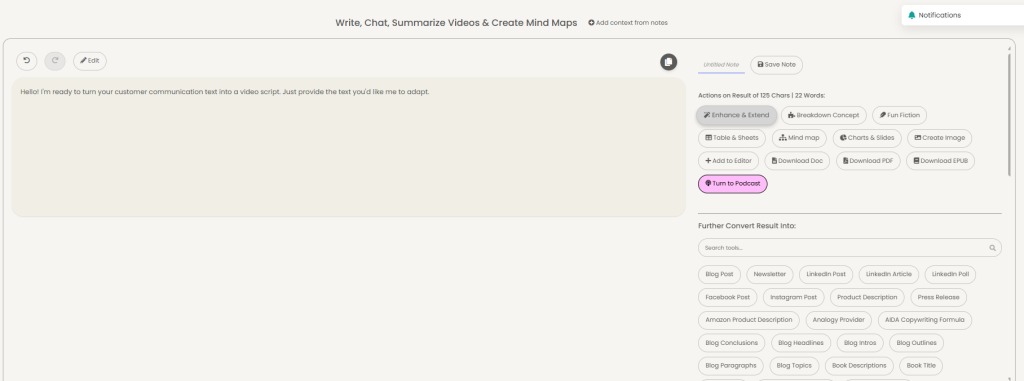
Once your idea is finalized, look to the left-hand sidebar, where you’ll find multiple features and add-ons.
Step 6: Select Turn Into Podcast
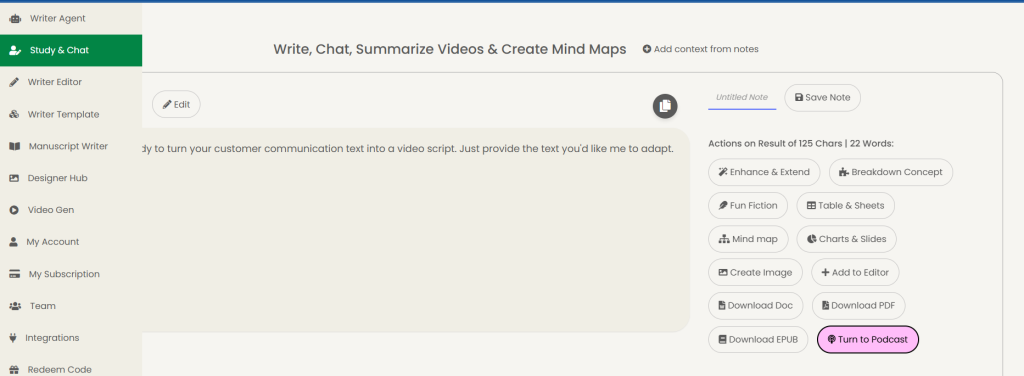
From the list of features, click on Turn Into Podcast to convert your refined content into a podcast format.
Step 7: Generate Your Podcast
The AI will automatically process your content and generate the podcast for you.
Content That Can Be Converted to a Podcast
You no longer need a microphone, studio, or editing skills to create a podcast. With AI-powered tools like Wordwriter, you can turn existing content into high-quality audio in minutes.
Written Content
Convert books, blog posts, newsletters, and research articles into podcasts you can listen to anytime, anywhere.
YouTube, Video, and Audio Content
Paste a YouTube link or upload a video or audio file, and Wordwriter automatically converts it into a podcast-style audio.
Instant Voice Content
Use Voice Mode to generate podcast content instantly perfect for ideas, summaries, or quick learning without writing or recording.
One tool. Multiple content formats. Zero production stress.
If your content can be read, watched, or heard, it can now be turned into a podcast.
Conclusion
WordWriter’s AI Podcast tool is designed for speed and simplicity. With just one click, your ideas transform into a fully generated podcast, no technical skills, no complicated setup.
If you can write it, you can podcast it.
Start creating your podcast with WordWriter today.
