
How to Write a Mini Story With AI

In this article, we’ll walk you through how to write a mini story using AI, making the process smoother, faster, and even more fun.
Have you ever been excited to write a story, so full of joy at the thought of creating something amazing only to get stuck halfway through? You’re not alone. That initial spark often fades when the words stop flowing. But that’s exactly where AI steps in to help.
Artificial intelligence has transformed the creative writing landscape, offering writers powerful tools to enhance their storytelling capabilities. AI-powered writing assistants can now help with every stage of the writing process, from conceptualization to final editing. For mini stories specifically, AI excels at generating compact narratives with clear structures and engaging elements while adhering to length constraints.
The marriage between human creativity and AI assistance creates a synergistic relationship where the technology handles the mechanical aspects of writing, allowing you to focus on the creative vision. This collaboration often results in stories that maintain your unique voice while benefiting from AI’s pattern recognition and language capabilities.
How AI Streamlines the Storytelling Process
Idea Generation and Conceptualization
- Character Development: AI can generate detailed character profiles including backgrounds, motivations, flaws, and strengths
- Setting Creation: Quickly develop rich, immersive worlds or simple backdrops for your stories
- Plot Development: Receive suggestions for conflicts, twists, and resolutions that fit within mini story constraints
- Thematic Exploration: Get ideas for meaningful themes and motifs that resonate with readers
Structural Benefits
- Perfect Pacing: AI ensures your mini story maintains proper pacing despite limited word count
- Narrative Arc Maintenance: Guarantees inclusion of setup, conflict, and resolution elements
- Scene Transitions: Creates smooth transitions between scenes even in compressed formats
- Beginning-Middle-End Balance: Properly allocates content to maintain structural integrity
Stylistic Enhancements
- Tone Consistency: Maintains your chosen emotional tone throughout the piece
- Voice Adaptation: Can mimic various writing styles from minimalist to elaborate
- Dialogue Generation: Creates natural-sounding conversations that reveal character and advance plot
- Descriptive Language: Offers vivid imagery while remaining economical with words
Time and Efficiency Advantages
- Draft Generation Speed: Produces complete first drafts in seconds rather than hours
- Iteration Efficiency: Quick revisions and alternatives without starting from scratch
- Formatting Automation: Automatically structures text according to standard story conventions
- Overcoming Writer’s Block: Provides immediate solutions when creativity stalls
Related: How to use AI to write letters
Step-by-Step Guide for Using AI to Write a Story
1. Clarify Your Vision
Before engaging with any AI tool, develop a clear understanding of:
- The core concept or premise of your story
- The emotional impact you want to create
- Key character elements you want to include
- The setting’s importance to your narrative
- Your target audience and their expectations
2. Choose the Right AI Tool
Different AI writing assistants offer varying capabilities:
- General-purpose AI writers: Tools like Wordwriter, ChatGPT, Claude, or Bard offer versatile writing assistance
- Specialized story generators: Platforms specifically designed for creative fiction
- Style-specific assistants: Tools optimized for particular genres or writing styles
- Collaborative writing environments: Systems that allow multiple iterations with AI feedback
3. Create Effective Prompts
The quality of your AI prompts directly impacts output quality:
- Be specific about genre (fantasy, science fiction, romance, horror, etc.)
- Indicate desired word count or length constraints
- Specify narrative perspective (first person, third person limited, omniscient)
- Include key plot points or story beats you want included
- Describe the emotional journey you want readers to experience
4. Structuring Your Mini Story
Provide guidance on narrative structure:
- Exposition: How much background information to include
- Inciting Incident: The event that sets the story in motion
- Rising Action: Complications that increase tension
- Climax: The turning point or moment of highest tension
- Resolution: How the story concludes or what insight is revealed
5. Review and Refine
Once you have AI-generated content:
- Evaluate the narrative cohesion and logical flow
- Check for character consistency and development
- Ensure the emotional arc feels authentic
- Verify that the story feels complete despite its brevity
- Look for opportunities to infuse your unique voice
6. Iterative Improvement
Use AI to help refine your story:
- Request alternative versions of weak sections
- Ask for more sensory details where needed
- Get suggestions for stronger openings or closings
- Experiment with different tones or perspectives
- Request help tightening language without losing meaning
Related: How to use AI to generate image caption
How to Use WordWriter to Create a Mini Story
1. Account Setup and Access
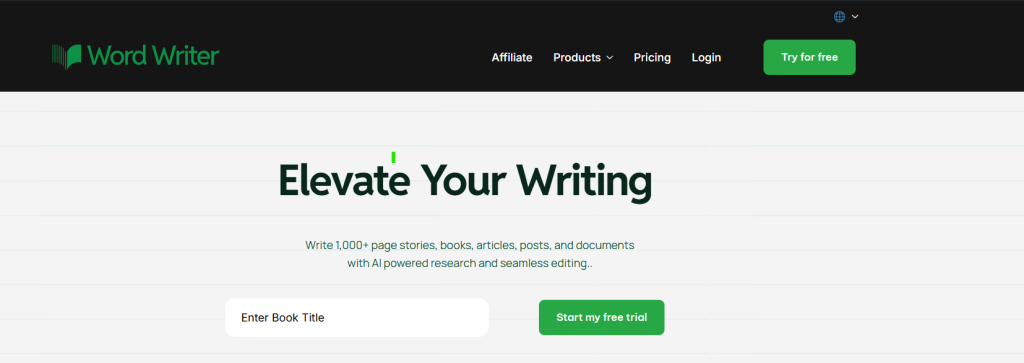
Go to wordwriter.co and sign up for a new account or log in if you already have one.
2. Access the Templates
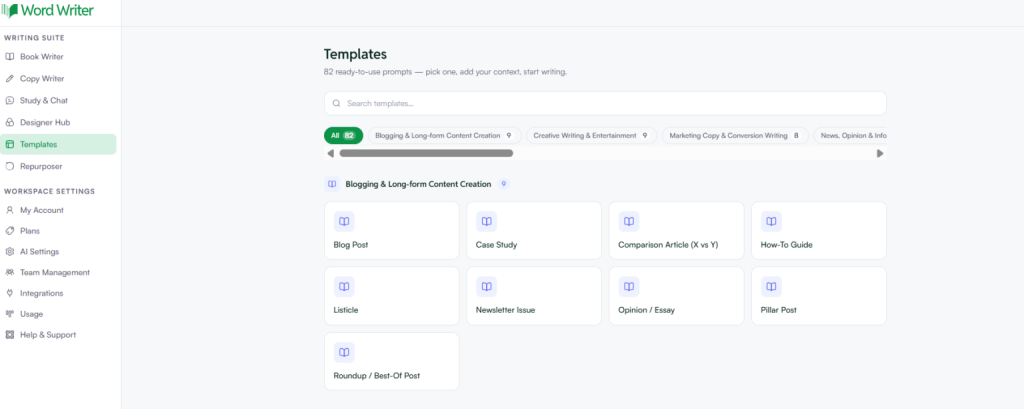
Once you are on the dashboard, look at the left corner and tap on Templates.
3. Search for Story Templates
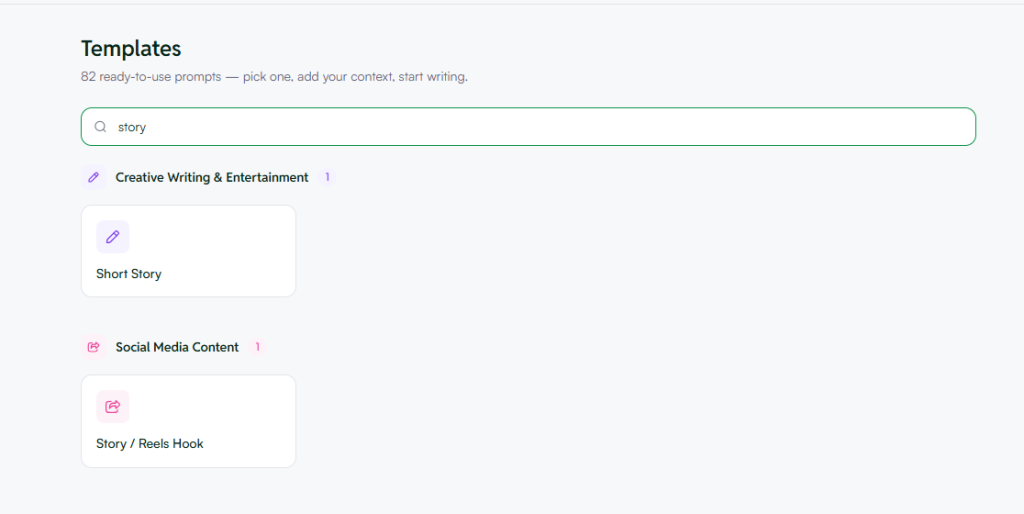
In the Templates search bar, type “Story” and a list of story-related templates will appear. You will find templates across two categories:
Under Creative Writing & Entertainment:
- Short Story
Under Social Media Content:
- Story / Reels Hook
Select the template that best fits what you are trying to create.
4. Fill In Your Story Details
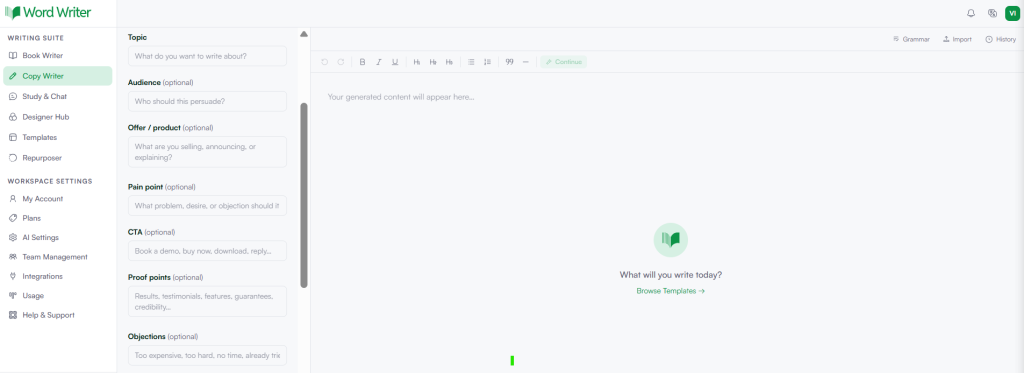
Once you select a template, you will land on the Copy Writer editor. Fill in the fields on the left panel:
- Topic — Enter what you want your story to be about
- Audience (optional) — Describe who the story is for
- Offer / Product (optional) — Add what you are selling, announcing, or explaining
- Pain Point (optional) — Describe the problem or desire the story should address
- CTA (optional) — Add your call to action, such as “Buy now,” “Book a demo,” or “Download”
- Proof Points (optional) — Include testimonials, results, or features that add credibility
- Objections (optional) — List any objections your audience might have
- Angle — Choose your preferred angle, default is set to Balanced
- Instructions (optional) — Add specific directions, for example structuring the story with a three-act format covering setup, confrontation, and resolution
- SEO Keyword (optional) — Enter a target keyword to optimize content density
- Tone — Select your preferred writing tone from the dropdown
- Output Language — Choose your language, default is English
- Word Count — Pick from 500, 1K, 2K, or 5K+
- Structured Mode (optional) — Toggle this on to generate section by section with an editable outline
5. Generate Your Story
Once you have filled in all the relevant fields, click the green Generate button at the bottom of the left panel. Your AI-generated story will appear in the editor on the right, ready for you to review, edit, and publish.
Best Practices and Advanced Tips
Maintaining Your Unique Voice
- Use AI as a starting point, then infuse your personal style
- Modify vocabulary and phrasing to match your natural writing voice
- Add personal experiences or perspectives that AI cannot replicate
- Consider AI-generated content as a “first draft” to be personalized
Ethical Considerations
- Clearly attribute AI assistance when sharing or publishing
- Avoid generating content that appropriates specific cultural experiences
- Be mindful of potential biases in AI-generated narratives
- Consider privacy implications when creating stories based on real events
Overcoming Common Challenges
- Generic Output: Add unusual elements or constraints to generate more unique content
- Logical Inconsistencies: Carefully review for plot holes or character inconsistencies
- Repetitive Phrasing: Edit to eliminate redundant language or repeated structures
- Emotional Flatness: Enhance emotional depth through specific sensory details and internal thoughts
Advanced Prompt Techniques
- Chain of Thought Prompting: Guide the AI through logical steps of story development
- Role Assignment: Ask the AI to write “as a Pulitzer Prize-winning author”
- Comparative Instructions: “Write in the style of Hemingway but with the thematic depth of Ursula K. Le Guin”
- Multi-stage Generation: Create character profiles and settings first, then integrate into the story
Conclusion
The blank page is officially no longer your enemy. With WordWriter’s story templates, all it takes is a topic, a few details, and one click to go from nothing to a story that actually pulls people in. No more overthinking the structure or wasting hours on something that should take minutes. Whether you are writing for fun or trying to grow an audience online, WordWriter does the heavy lifting so you can focus on what matters, getting your story out there.
