
How to Use AI to Generate Video Ideas
Knowing how to use AI to generate video ideas gives you a step further in your creativity game.
The content creator’s eternal struggle is real: staring at a blank screen, wondering what video will resonate with your audience next. If you’re a regular content creator, you know this pain intimately. Coming up with fresh, engaging video ideas that match what your audience craves isn’t just challenging—it’s often the biggest bottleneck between you and consistent growth.
But what if there was a smarter way? What if instead of relying purely on creative inspiration or gut feelings, you could use data-driven insights and AI to generate video ideas that are practically guaranteed to perform well?
The reality is that successful content creation isn’t about being a creative genius—it’s about understanding what works and systematically applying those insights. As David Bowie once said, “The only art I’ll ever study is stuff that I can steal from.” The most successful creators aren’t reinventing the wheel; they’re studying patterns, identifying what resonates, and putting their unique spin on proven concepts.
In this comprehensive guide, we’ll explore how modern content creators are leveraging AI and data analytics to solve the video ideation problem once and for all.
Ready to never run out of video ideas again? Let’s explore the strategies and tools that will keep your content calendar full and your audience engaged.
Related: How to use AI for video descriptions
Why you should use AI for Video Ideas
1. Scalable Pattern Recognition
AI can analyze millions of videos across platforms simultaneously, identifying patterns that would take humans years to recognize. Tools like TubeLab’s Outlier Finder can scan through vast databases of content to identify what’s actually working—not what we think should work.
As one successful creator noted: “AI doesn’t get tired, doesn’t have creative blocks, and doesn’t let personal bias cloud judgment. It just shows you what the data says works.” TubeLab
2. Speed and Efficiency
What used to take hours of research can now happen in minutes. Modern AI tools can:
- Generate dozens of validated video concepts in seconds
- Analyze competitor performance across multiple niches
- Identify trending topics before they peak
- Suggest optimal timing for content release
3. Audience-Centric Insights
AI doesn’t create ideas based on what you find interesting—it creates ideas based on what your audience actually engages with. This fundamental shift from creator-centric to audience-centric ideation is revolutionary.
4. Predictive Performance
Advanced AI systems can predict how well a video concept might perform before you create it, analyzing factors like:
- Title effectiveness
- Thumbnail potential
- Topic trend trajectory
- Audience overlap with successful content
Related: How to use AI to improve SEO rankings
Getting Started with AI Video Idea Generation: Your Complete WordWriter Guide
What You’ll Need to Begin
To harness the power of AI for video idea generation, you’ll need just two essential components:
1. WordWriter (Video Idea Generator Tool)
WordWriter is your primary AI-powered video idea generation platform that transforms concepts into actionable content ideas.
2. Your Concept and Niche
Having a clear understanding of your target niche and the specific concepts you want to explore is crucial for generating relevant, audience-focused video ideas.
Setting Up Your WordWriter Account
For Existing Users
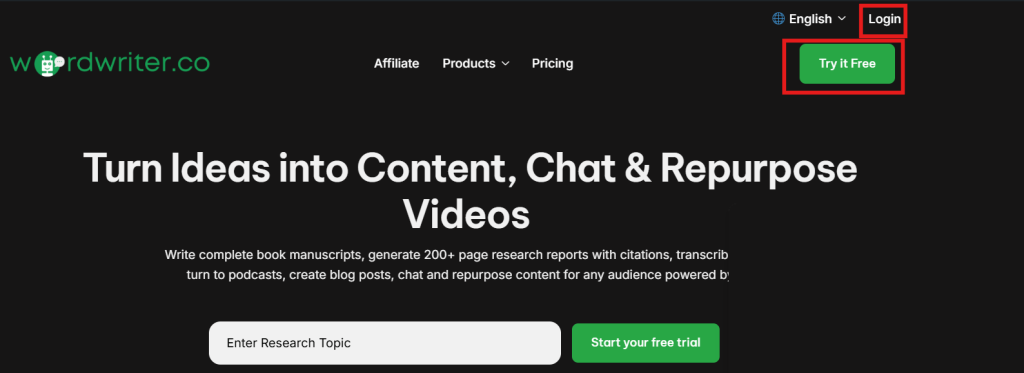
If you already have a WordWriter account, simply navigate to the WordWriter platform and log in using your existing credentials.
For New Users
Don’t have an account yet? Getting started is straightforward:
- Look for the “Try It for Free” button on the WordWriter homepage
- Click to begin the sign-up process
- Complete your account registration
- Verify your account to gain full access
Navigating to the Video Idea Generator
Accessing Writer Templates
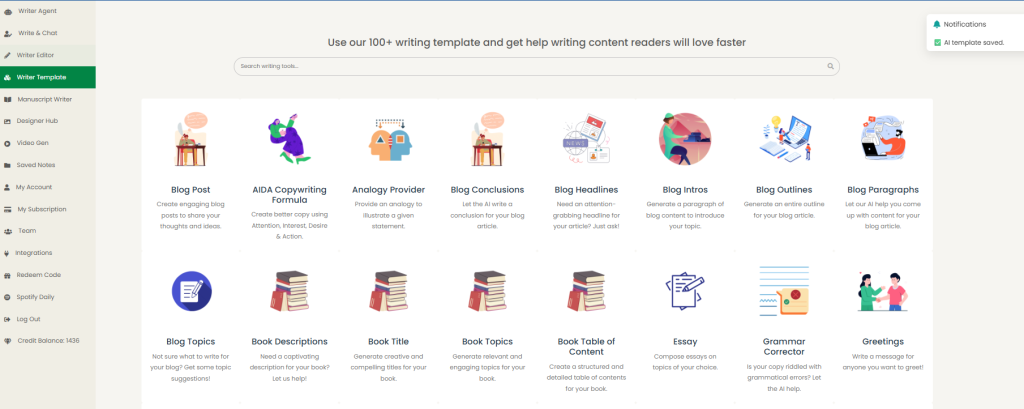
Once you’re successfully signed in to your WordWriter account:
- Navigate to the Writer Templates section
- This is where you’ll find all available content generation tools
Finding the Video Idea Tool
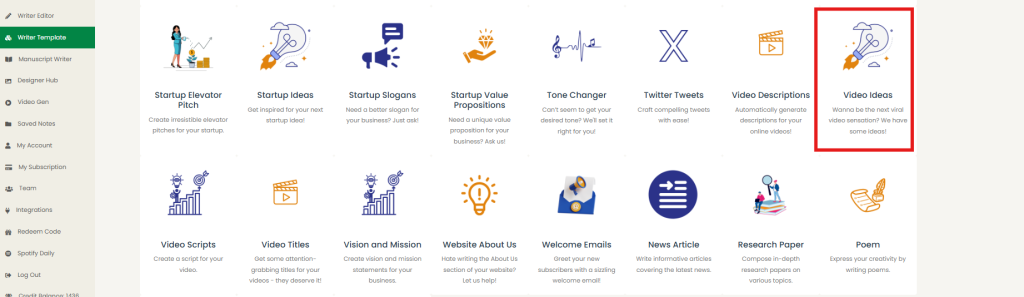
Within the Writer Templates area:
- Look for the Video Idea Tool among the available templates
- This specialized tool is designed specifically for content creators
- It’s optimized for generating video concepts across various niches
Crafting Your Video Idea Prompts
Using Pre-Built Prompts
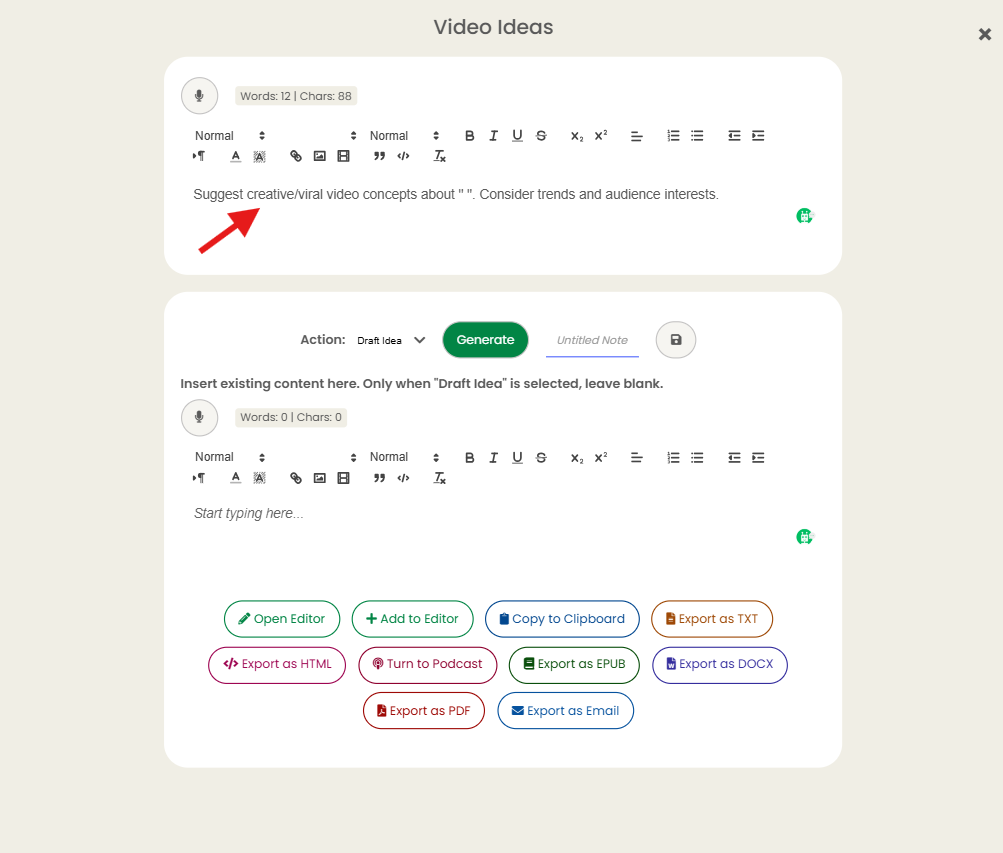
WordWriter provides convenience with ready-made prompts:
- There’s a prebuilt prompt available within the video idea tool
- These prompts are professionally crafted and tested for effectiveness
- Perfect for beginners or when you need quick results
Creating Custom Prompts
For more personalized results, you can:
- Write your prompts fresh from scratch
- Customize prompts to match your specific niche requirements
- Incorporate your unique brand voice and content style
- Tailor prompts to your audience’s preferences and interests
Generating Your Video Ideas
The Generation Process
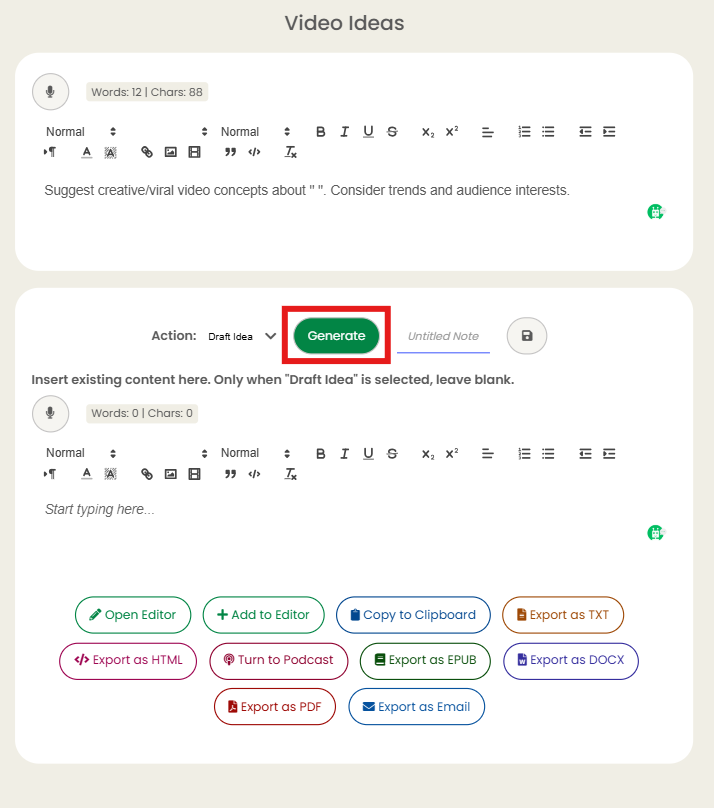
Once your prompt is ready:
- Click on the “Generate” button
- The AI will begin processing your request
- Wait approximately 5 minutes for the generation process to complete
Why the Wait Time?
The 5-minute processing time allows the AI to:
- Analyze vast databases of successful content
- Cross-reference your niche with trending topics
- Generate multiple high-quality, diverse video concepts
- Ensure each idea is optimized for potential engagement
Maximizing Your Results
Prompt Optimization Tips
- Be specific about your target audience
- Include relevant keywords for your niche
- Specify the type of content format you prefer
- Mention any particular angles or perspectives you want to explore
Making the Most of Generated Ideas
- Review all generated concepts carefully
- Look for ideas that align with your content calendar
- Consider how each idea fits your production capabilities
- Identify concepts that complement your existing content
What to Expect from Your Generated Ideas
The AI-powered generation process typically produces:
- Multiple video concepts tailored to your niche
- Varied content angles to keep your channel diverse
- Trend-aware suggestions that capitalize on current interests
- Audience-focused ideas designed for maximum engagement
This systematic approach to video idea generation eliminates the guesswork and creative blocks that often plague content creators, providing you with a reliable stream of content concepts ready for production.
AI Video Ideas Examples Using Wordwriter
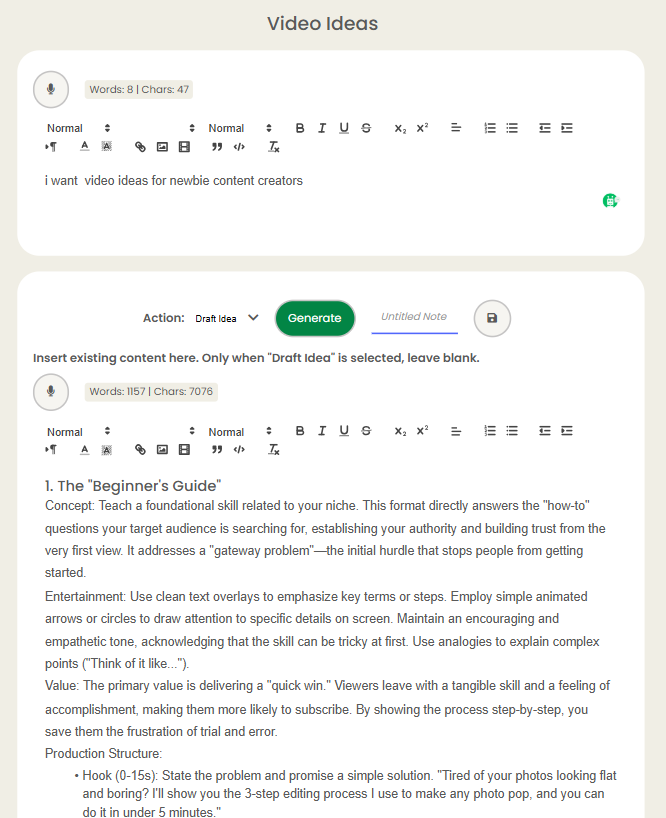
1. The “Beginner’s Guide”
Concept: Teach a foundational skill related to your niche. This format directly answers the “how-to” questions your target audience is searching for, establishing your authority and building trust from the very first view. It addresses a “gateway problem”—the initial hurdle that stops people from getting started.
Entertainment: Use clean text overlays to emphasize key terms or steps. Employ simple animated arrows or circles to draw attention to specific details on screen. Maintain an encouraging and empathetic tone, acknowledging that the skill can be tricky at first. Use analogies to explain complex points (“Think of it like…”).
Value: The primary value is delivering a “quick win.” Viewers leave with a tangible skill and a feeling of accomplishment, making them more likely to subscribe. By showing the process step-by-step, you save them the frustration of trial and error.
Production Structure:
- Hook (0-15s): State the problem and promise a simple solution. “Tired of your photos looking flat and boring? I’ll show you the 3-step editing process I use to make any photo pop, and you can do it in under 5 minutes.”
- Step 1 (1-2 min): Explain the “what” and “why” of the first step. Show a clear visual demonstration with close-ups on important details. Use on-screen text to summarize the action.
- Step 2 (1-2 min): Explain and demonstrate the second step. Briefly mention how this step builds upon the first one to create a logical progression.
- Step 3 (1-2 min): Explain and demonstrate the final step. Show the “before” and “after” to create a satisfying reveal of the final result.
- Bonus Tip / Common Mistake (30s): Add extra value by sharing a pro-tip or a common pitfall. “Before you go, here’s one mistake many beginners make and how to easily avoid it.”
- Outro (30s): Quickly recap the three steps on screen. End with a specific call to action that encourages engagement: “Try this technique and let me know which of the three steps made the biggest difference for you in the comments!”
2. The “Top 5” List
Concept: Share your top 5 favorite tools, apps, books, techniques, or resources related to your niche. This format leverages curiosity and is highly scannable for viewers. It performs well because it offers curated knowledge in a finite, predictable package. Variations can include “5 Biggest Mistakes…” or “5 Underrated…”
Entertainment: Use a countdown format (from 5 to 1) to build anticipation. For each item, use dynamic B-roll footage or screen recordings that show it in use. Weave in a concise, personal story for each recommendation: “I discovered this app when I was struggling with [problem], and it completely solved it by…”
Value: This format acts as a trusted filter. You do the research so your audience doesn’t have to, saving them time, money, and effort. The value comes from your specific justifications and unique perspective on why these items are the best. This is also a natural way to incorporate affiliate links.
Production Structure:
- Hook (0-15s): Introduce the list and a quantifiable benefit. “These are the 5 free tools that save me over 10 hours of work every single week. We’re starting with number five, which you can install right now.”
- Item 5 to 2: Dedicate 45-60 seconds to each. Structure each segment: 1) Introduce the item. 2) Demonstrate its single most powerful feature. 3) Explain the specific problem it solves for you.
- Item 1 (The Best): Reveal your top pick. Spend more time (60-90s) on this one. Provide a more in-depth demonstration, compare it to a popular alternative, and share a powerful testimonial about its impact.
- Outro (30s): Show a quick visual summary of all five items on screen. Ask a reciprocal question to spark discussion: “That’s my top 5. Now I want to know yours. What’s one tool you can’t live without? Share it below to help everyone else out.”
3. “A Day in the Life” (Niche-Specific)
Concept: Show a realistic yet aspirational day, focusing on the activities central to your niche (e.g., “A Day in the Life of a Self-Taught Musician,” “A Day in the Life of a Sustainable Gardener”). The goal is to provide context, build a personal connection, and show the process behind the results you feature in other videos.
Entertainment: Structure the video around a simple story arc. Introduce a small goal or challenge at the beginning of the day (e.g., “Today, I need to finish a client proposal and test a new recipe.”). Use time-lapses with upbeat music for repetitive tasks (like typing or cleaning) and slow-motion for moments of focus or satisfaction. Voice-over narration ties it all together.
Value: This format humanizes you and demystifies a particular lifestyle or career. Viewers get to see the unglamorous work, the decision-making process, and the small habits that lead to success. This builds a strong sense of community and relatability.
Production Structure:
- Hook (0-20s): Set the scene and pose an intriguing question. “Ever wonder what a freelance writer really does all day besides stare at a blank page? Come with me, I’ll show you everything—from the first coffee to the final word.”
- Morning (The Setup): Show your morning routine, but focus on 1-2 key activities that set you up for a productive day in your niche (e.g., planning tasks, a learning session, preparing your workspace).
- Mid-Day (The Work): This is the core of the video. Show yourself tackling the main tasks. Use voice-over to explain your thought process, a challenge you encountered, and how you worked through it. This is where you show the “real work.”
- Evening (The Wind-Down): Show how you transition out of work. This can still be niche-related (e.g., reading an industry book, prepping for the next day’s project, enjoying the results of your work). Include a moment of reflection in your narration.
- Outro (30s): Offer a final, concise reflection on the day’s outcome. “It was a busy one, but we got it done.” Ask an engaging question that invites viewers to share their own experiences: “What’s the most productive part of your day? Let me know in the comments.”
REFERENCES Cannell, S., & Travis, B. (2020). YouTube Secrets: The Ultimate Guide to Growing Your Following and Making Money as a Video Influencer (2nd ed.). Entrepreneur Press. (Page: Chapters 10, 11, and 14) Deziel, M. (2020). The Content Fuel Framework: How to Generate Unlimited Story Ideas. Rockbench Publishing Corp. (Page: Pages 49-80) Hennessy, B. (2018). Influencer: Building Your Personal Brand in the Age of Social Media. Citadel Press. (Page: Chapter 6) Krishnamurthy, S., & Kucuk, S. U. (2009). A Day in the Life of a Consumer: A Managerial and Methodological Framework for the Study of Consumer Routines. Journal of Consumer Research, 36(2), 224-236. Koliska, M., & Assmann, K. (2021). The ‘Day in the Life’ Vlog: A Genre of Connectedness. In Digital Media and Connectedness: The New Intimate Publics (pp. 119-140). Palgrave Macmillan. HubSpot. (n.d.). 16 Types of Videos to Use in Your Marketing & Which Work Best. HubSpot Blog. (URL: https://blog.hubspot.com/marketing/video-marketing)
Conclusion
In conclusion, utilizing WordWriter can significantly enhance your Video ideation Process. With its various features designed for efficiency and style, it’s a valuable tool for anyone looking to refine their Video ideas and amazingly, it has other features to help boost your creativity. Try it out today!
