
7 Best AI Writing Tools for Students in 2026
Between essays, research papers, discussion posts, lab reports, and the occasional creative assignment, students write more than most people realize, and they do it under time pressure, on tight budgets, and with academic integrity policies watching every move. The right AI writing tool doesn’t write your paper for you. It helps you research smarter, outline faster, write more clearly, and catch mistakes before your professor does.
This list covers the 7 best AI writing tools for students in 2026, tools that are genuinely useful for academic work, priced within student budgets, and built to improve your writing, not replace it.
A note on academic integrity: AI writing tools exist on a spectrum. Using Grammarly to fix grammar is no different from spell check, most universities permit it. Using an AI tool to generate your entire essay and submitting it as your own is academic dishonesty. The tools on this list are evaluated for how well they help you become a better student writer, not how well they can cheat for you. Always check your institution’s specific AI use policy.
How We Evaluated These Tools
We looked at five factors: relevance to academic writing tasks (research, drafting, editing, citations, and paraphrasing), pricing affordability for students, free plan usability, third-party ratings from G2, Capterra, and Trustpilot, and whether the tool integrates into the platforms students already use (Google Docs, Microsoft Word, browsers).
7 Best AI Writing Tools for Students in 2026
1. WordWriter — Best All-Around AI Writing Tool for Students in 2026
Most AI writing tools make students choose: research help or drafting help or editing help. WordWriter doesn’t ask you to choose. It’s the only tool on this list that covers the full student writing workflow from research and outlining to long-form drafting, content repurposing, and multilingual support — all inside one platform. Whether you’re writing a 500-word blog post for a media class or a 5,000-word research paper on economic theory, WordWriter is built to handle it.
Key Features
- AI Research Agent — The most powerful feature for students writing research-heavy assignments. WordWriter’s automated research system gathers, analyzes, and cites credible sources within your workflow. No more opening 15 browser tabs, cross-referencing sources, and manually inserting citations. The Research Agent does the heavy lifting so you can focus on building your argument.
- Long-Form Content Generation — Generate structured, consistent long-form content up to 200+ pages with maintained tone and coherence throughout. For thesis-length projects and extended essays, this consistency across sections is genuinely difficult to maintain manually.
- 100+ Writing Templates — Covering every format a student encounters: essays, research papers, blog posts, case studies, lab reports, literature reviews, creative writing, presentations, and more. Starting from a template means you always have the right structure from the beginning.
- SEO and GEO Optimization — For students in media, marketing, communications, or journalism programs who produce digital content as part of coursework, WordWriter’s built-in SEO and Generative Engine Optimization tools ensure your content is structured to perform online.
- Content Repurposing — Transform recorded lectures, seminar videos, podcasts, and webinars into written notes, summaries, or content drafts. An underused feature for students who learn better by processing audio content into written form.
- Style Matching — WordWriter reads your existing writing and mirrors your voice in all AI-generated suggestions, making it significantly harder for AI detection tools to flag content and ensuring your assignments sound authentically like you.
- Multilingual Support — Generate and refine content in multiple languages with cultural adaptation. Critical for international students writing in a non-native language, and useful for language students completing assignments in a foreign language.
- Multimedia Integration — Create charts, infographics, diagrams, and images within your workflow, useful for students in STEM, business, social sciences, and design courses that require visual elements alongside written content.
- Blog and Essay Drafting — Beyond academic writing, WordWriter handles blog posts, personal statements, scholarship essays, cover letters, and internship applications — every writing task a student faces beyond just coursework.
- WordPress Integration — For students running personal blogs, class websites, or digital portfolios, WordWriter publishes directly to WordPress without any copy-paste friction.
Ratings: 4.9/5
Pricing: Free trial available, no credit card required. Visit wordwriter.co for current plan details.
Best For: Students writing research papers, essays, long-form assignments, digital content, and personal statements across all disciplines — from humanities to STEM to business.
2. Grammarly — Best AI Writing Assistant for Grammar, Clarity, and Polish
Grammarly is the most widely used writing assistant among students globally, and in 2026 it has expanded well beyond grammar checking into a full AI writing platform with tone detection, AI rewriting, plagiarism detection, and citation assistance. For students who want real-time feedback on every sentence they write, across every platform they use, nothing integrates as seamlessly.
Key Features
- Real-Time Grammar and Spelling — Catches errors as you type across Gmail, Google Docs, Microsoft Word, Canvas, LinkedIn, and virtually any other browser-based platform you use for coursework.
- AI Rewriting (GrammarlyGO) — Full-sentence rewrites, tone adjustments, and clarity improvements powered by generative AI. Useful for tightening paragraphs without changing your argument.
- Tone Detection — Identifies how your writing sounds before you submit it — whether it’s too casual for an academic paper, too aggressive for a group email, or too passive for a persuasive essay.
- Plagiarism Detection — Checks your writing against billions of web pages, essential for academic work where accidental phrasing overlap can cause problems.
- AI Text Detection — Identifies AI-generated content within your own drafts, useful for ensuring your work stays within your institution’s AI usage policy.
- Citation Finder — Helps locate credible sources to support claims in your writing, built directly into the editor.
- Clarity Suggestions — Flags overcomplicated sentences and suggests cleaner alternatives, particularly useful for students who tend to write long, convoluted sentences under pressure.
- 2,000 Monthly AI Prompts — Available on the Pro plan for generative writing assistance: asking Grammarly to rewrite a paragraph, suggest a transition, or improve a conclusion.
- Chrome Extension and Desktop App — Works everywhere you write with seamless cross-platform integration, so you’re covered whether you’re in Google Docs, your school’s LMS, or a personal email.
- Reader Reactions — Predicts how readers will respond to your content emotionally, useful for persuasive essays, presentations, and communications courses.
Ratings: G2: 4.7/5 (12,969 reviews) | Capterra: 4.7/5 (7,210 reviews) | Trustpilot: 3.5/5 (10,394 reviews)
Pricing: Free plan available. Pro plan is $12/month billed annually ($144/year) or $30/month billed monthly. A student and educator discount of 50% off is available via SheerID verification — bringing the annual Pro plan down to as low as $6/month for verified students. Always check if your university provides free institutional access before paying for a personal plan.
Best For: All students who want real-time grammar correction, tone feedback, plagiarism detection, and AI rewriting integrated directly into their existing writing environment.
3. QuillBot — Best for Paraphrasing, Summarizing, and Citation Generation
QuillBot is the go-to tool for one of the most common student writing challenges: taking in a lot of source material and expressing it clearly in your own words. Its paraphrasing engine is the strongest in its category, its summarizer condenses long research documents in seconds, and its citation generator handles APA, MLA, Chicago, and dozens of other formats automatically.
Key Features
- Paraphraser with 9 Modes — Standard, Fluency, Formal, Academic, Simple, Creative, Expand, Shorten, and Custom modes give you control over how aggressively the tool rewrites your text. The Academic mode is particularly useful for maintaining scholarly register.
- Grammar Checker — Goes beyond basic spelling to catch punctuation, sentence structure, and clarity issues in real time.
- Summarizer — Condenses long research papers, textbook chapters, and articles into concise summaries, saving hours during literature review and research phases.
- Citation Generator — Paste a URL, book title, or journal name and get an accurately formatted citation in APA, MLA, Chicago, or other major styles instantly. Reviewers consistently call this a genuine time-saver for research-heavy work.
- Plagiarism Checker — Checks your content for originality, included on premium plans. Useful for ensuring paraphrased content is sufficiently different from source material.
- AI Detector — Checks whether your content would be flagged as AI-generated, helpful for students using AI assistance within permitted boundaries.
- AI Humanizer — Rewrites AI-generated text to read more naturally and pass AI detection checks where your institution permits AI-assisted work.
- Translator — Translates content across multiple languages, useful for international students and language learners.
- QuillBot Flow — A centralized workspace for writing, editing, paraphrasing, and researching without switching tabs, functioning as an all-in-one drafting environment.
- Google Docs and Word Integration — Works directly inside Google Docs and Microsoft Word via extension, eliminating copy-paste friction during the editing process.
Ratings: G2: 4.3/5 | Capterra: 4.5/5 (154 reviews) | Trustpilot: 4.9/5
Pricing: Free plan available. Premium at $8.33/month billed annually ($99.95/year) or $19.95/month billed monthly. Students with a valid .edu email qualify for the Student Plan at $6.25/month billed annually — the most affordable premium tier on this list. 3-day money-back guarantee on new purchases.
Best For: Students who frequently paraphrase source material, need to process large amounts of research quickly, or require reliable citation generation across multiple formats.
4. ChatGPT — Best for Brainstorming, Concept Explanation, and Study Assistance
ChatGPT remains the most versatile AI tool for students in 2026, not because it’s the best writing tool specifically, but because it’s the best thinking partner. It helps you understand difficult concepts, stress-test your arguments, brainstorm essay angles, generate practice questions before exams, and talk through ideas when you’re stuck. No other tool on this list matches its conversational flexibility.
Key Features
- Study Mode with Flashcard and Quiz Generation — Upload lecture slides, a PDF textbook chapter, or your own notes and ask ChatGPT to generate flashcards, quiz questions, or a study plan. Particularly useful for exam preparation.
- PDF and File Interaction — Chat directly with uploaded documents — textbook chapters, research papers, case studies — and ask questions, request summaries, or pull out specific information.
- Concept Explanation at Any Level — Ask it to explain a complex theory at the level of a first-year student, then ask it to go deeper. Its ability to adjust explanation depth on demand makes it one of the most useful learning tools available.
- Argument Stress-Testing — Paste your thesis statement or essay outline and ask ChatGPT to argue against it. This is one of the most underrated uses: finding the weak points in your argument before your professor does.
- Outline Generation — Generate essay outlines from a topic or prompt, giving you a structural starting point you can then fill in with your own research and analysis.
- Resume, Cover Letter, and Scholarship Essay Support — Beyond coursework, ChatGPT handles career documents, personal statements, and application essays with strong results.
- Deep Research Mode — Available on the Plus plan, this feature conducts multi-step research tasks and synthesizes information across multiple sources.
- Code Explanation and Debugging — For STEM students, ChatGPT explains code, walks through algorithms, and helps debug in plain language.
- Interview Prep — Practice answering internship and job interview questions with real-time feedback on your responses.
- Project Organization — Save and organize chats by topic, course, or project, so your writing and research conversations stay accessible throughout a semester.
Ratings: Widely regarded as the most-used AI tool by students globally. G2 rates the broader OpenAI suite at 4.7/5.
Pricing: Free plan available with daily message limits. ChatGPT Plus at $20/month unlocks GPT-4o, Deep Research, file uploads, and higher usage limits. Students at eligible institutions may access Google Gemini Pro for free — check your institution’s software benefits before paying.
Best For: Students who want an AI thinking partner for brainstorming, concept learning, exam prep, outline generation, and career documents — used alongside a dedicated writing or citation tool for accuracy.
5. Hemingway Editor — Best for Writing Clarity and Sentence-Level Polish
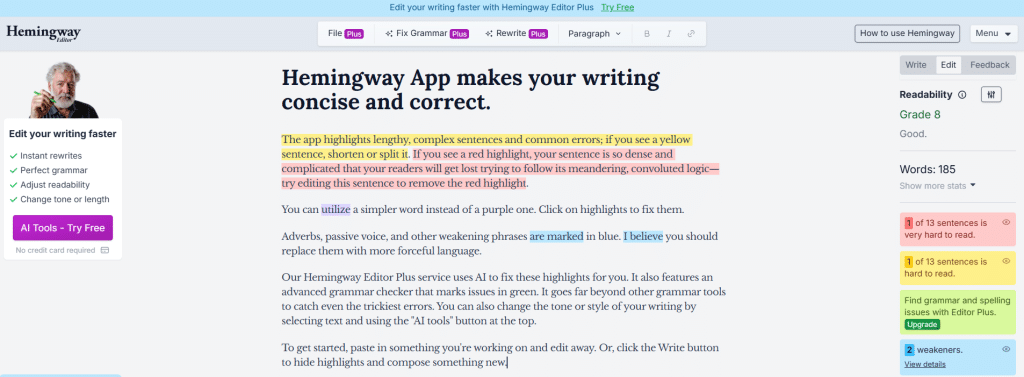
Hemingway Editor is a deceptively simple tool that solves a specific, recurring problem in student writing: overcomplicated sentences, passive voice overuse, and prose that’s harder to read than it needs to be. Most student papers suffer from these issues — and Hemingway shows you exactly where and why, in real time, with color-coded highlighting that makes editing fast and intuitive.
Key Features
- Readability Grade Level Scoring — Scores your entire document by reading difficulty level so you know immediately whether your prose is appropriately accessible for your intended reader and assignment.
- Passive Voice Highlighting — Flags every passive construction so you can spot and revise during an editing pass. Most academic writing benefits from reducing passive voice, and Hemingway makes it impossible to miss.
- Adverb Highlighting — Identifies overused adverbs, one of the most common issues in early student drafts, especially in creative writing and journalism assignments.
- Complex Sentence Highlighting — Flags long, hard-to-follow sentences in red (very hard to read) and yellow (hard to read) so you can simplify without losing meaning or argument quality.
- Simpler Word Suggestions — Suggests shorter, more direct alternatives for unnecessarily complex vocabulary, especially useful for students who confuse complicated language with sophisticated writing.
- Word Count and Reading Time — Displays word count and estimated reading time for your full document and any selected text, useful when working toward specific word count requirements.
- Focus Mode — A distraction-free writing environment for drafting directly in the Hemingway app, though most students use it primarily for pasting and editing existing drafts.
- Format for Publishing — Basic formatting output for Medium, WordPress, and Markdown, useful for students with personal blogs or digital portfolios.
- Desktop App — Available as a standalone desktop application for offline use on Mac and Windows, so you can edit without an internet connection during library sessions or travel.
- Free Web Version — The core editing features are entirely free at hemingwayapp.com, with no account required.
Ratings: Consistently recommended across student writing blogs, university writing center resources, and author communities for over a decade.
Pricing: Free web version available at hemingwayapp.com. Desktop app (Mac and Windows) available as a one-time purchase at $19.99 with no recurring subscription.
Best For: All students during the revision phase, particularly useful for essays, research papers, and any assignment where clear, direct prose is expected over elaborate or verbose writing.
6. Notion AI — Best for Students Who Want AI Built Into Their Study and Writing Workspace
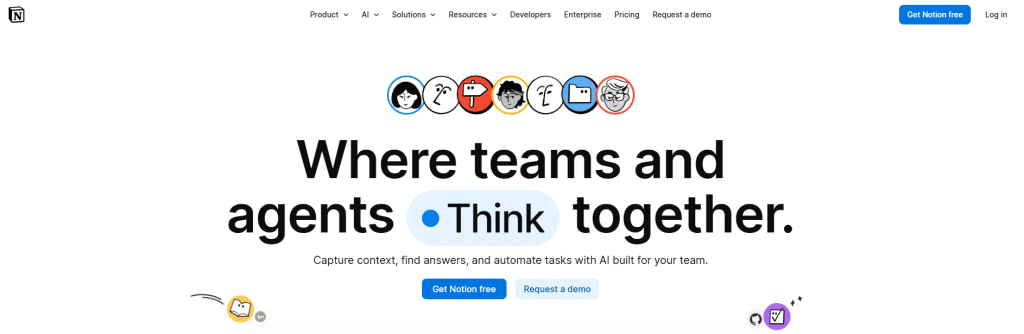
Most AI writing tools require you to open a separate app, paste your content across, generate something, and then carry it back to wherever you’re actually working. Notion AI flips this by bringing the AI directly into the workspace where you already take notes, organize your semester, plan essays, and draft content. For students who are already living in Notion, the AI layer turns it into one of the most powerful academic productivity tools available.
Key Features
- AI Writing Assistance Inside Notion — Generate, rewrite, summarize, and edit content directly within your Notion pages, notes, and databases without leaving the platform.
- Ask AI — A conversational AI sidebar that answers questions, generates content, and helps you brainstorm based on your existing notes and documents. Ask it to summarize your lecture notes, generate essay questions from a reading, or improve the clarity of a paragraph.
- Summarization — Condense long meeting notes, reading summaries, research documents, or class notes into concise summaries in seconds — one of the most practical study uses.
- Autofill for Databases — Automatically populate Notion database properties using AI, useful for assignment trackers, reading lists, and content calendars that students maintain across a semester.
- Tone and Style Adjustments — Rewrite selected text to be more formal, concise, or clear with a single click, useful when moving from rough personal notes to a polished academic draft.
- Action Items Extraction — Pull actionable tasks out of lecture notes, group project discussions, or research pages automatically, so nothing falls through the cracks during busy periods.
- Content Generation from Prompts — Create essay outlines, reading summaries, study guides, and document sections from simple text prompts without leaving your workspace.
- Connected to Your Existing Notes — Unlike standalone AI tools, Notion AI can reference and work with notes you’ve already stored in your workspace, giving it context that generic AI tools don’t have.
- Real-Time Collaboration — Full collaborative access for group projects, study groups, and shared class notes, with AI assistance available to the whole team inside shared Notion workspaces.
- Cross-Device Access — Full functionality on desktop, web, and mobile, so your workspace and its AI tools are accessible wherever you study.
Ratings: G2: 4.7/5 (5,700+ reviews for Notion overall) | Capterra: 4.7/5 (2,400+ reviews)
Pricing: Notion AI is available as an add-on at $10/member/month (or $8/month billed annually) on top of any Notion plan. Notion’s free plan is available for individual students with basic features. The Plus plan starts at $10/month, making the full AI-enabled entry point around $18–20/month for individuals — though students at many universities may have access to free or discounted Notion plans through educational partnerships.
Best For: Students who already use Notion for note-taking, project management, or study organization, and want AI writing and brainstorming assistance integrated directly into their existing workflow.
7. Perplexity AI — Best for Research, Fact-Checking, and Source-Backed Answers
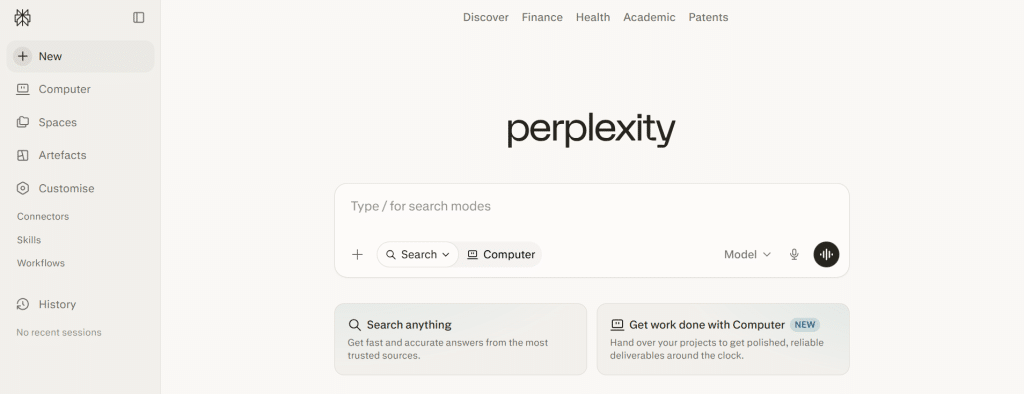
Perplexity AI solves one of the biggest problems students face when using AI for research: reliability. Unlike general AI chatbots that generate plausible-sounding but sometimes fabricated information, Perplexity provides sourced, cited, real-time web-based answers with linked references you can actually verify. For students doing preliminary research, fact-checking claims, and exploring topics before committing to a thesis direction, it’s one of the most trustworthy AI research companions available.
Key Features
- Source-Cited Answers — Every response comes with numbered citations linking directly to the original sources, so you can verify information and follow up on references rather than trusting AI output blindly.
- Real-Time Web Access — Perplexity searches the live web rather than relying on a fixed training dataset, meaning information is current and relevant to recent developments in your field.
- Academic Paper Search — Access and summarize peer-reviewed academic papers, journal articles, and scholarly sources directly within search results, particularly useful for literature reviews and annotated bibliographies.
- Follow-Up Question Threading — Ask follow-up questions in the same thread, narrowing your research progressively without losing context — similar to having a conversation with a research librarian.
- Multiple Search Modes — Switch between web search, academic search, and social media search depending on whether you need scholarly sources, general information, or current public discourse on a topic.
- Focus Mode — Direct Perplexity to search only within specific sources (Reddit, YouTube, academic papers, news) for more targeted results.
- Collections — Organize research threads into collections by topic, course, or project so your research stays organized across a semester.
- File Upload and Analysis — Upload PDFs and documents and ask Perplexity questions about them, useful for processing assigned readings quickly.
- Mobile App — Full functionality on iOS and Android, making it accessible for research on the go.
- Perplexity Pages — Create shareable, structured research summaries from your search sessions, useful for sharing research with study groups or starting an essay outline.
Ratings: Trustpilot: 4.6/5 | Widely endorsed in student and academic communities as the most reliable AI research tool for sourced information.
Pricing: Free plan available with daily search limits. Perplexity Pro at $20/month (or $200/year) unlocks unlimited searches, access to advanced AI models including GPT-4o and Claude, file uploads, and higher usage across all features. Students at eligible institutions may access Pro features through educational partnerships — check your institution’s software benefits page.
Best For: Students doing preliminary research, fact-checking claims before including them in papers, exploring a new topic before writing, and anyone who needs AI research assistance with source attribution built in.
Quick Comparison: Which Tool Is Right for You?
| Tool | Best For | Starting Price |
|---|---|---|
| WordWriter | All-around: research, drafting, long-form writing | Free trial |
| Grammarly | Real-time grammar, tone, and plagiarism checking | Free / $6/month (student) |
| QuillBot | Paraphrasing, summarizing, citation generation | Free / $6.25/month (student) |
| ChatGPT | Brainstorming, concept explanation, study prep | Free / $20/month (Plus) |
| Hemingway Editor | Prose clarity and sentence-level polish | Free (web) / $19.99 (desktop) |
| Notion AI | AI writing inside your existing study workspace | Free + $8/month (AI add-on) |
| Perplexity AI | Source-cited research and fact-checking | Free / $20/month (Pro) |
The Smartest Student Writing Stack in 2026
You don’t need all seven tools. Most students get the best results with two or three used for different purposes. A practical starting stack: use WordWriter for research and drafting, Grammarly for real-time grammar and tone correction as you write, and Perplexity for sourced fact-checking when you need to verify a claim. Add QuillBot if your coursework involves heavy source material and paraphrasing. Use Hemingway for a final clarity pass before submission.
The goal isn’t to use AI to avoid writing. It’s to use AI to write better, faster research, cleaner drafts, tighter prose, and more confident submissions.
