
How to Write a Compelling Blog Outline
Mastering how to write a compelling blog outline is the key to creating focused, high-quality content that readers love and search engines rank.
A strong outline acts as a blueprint, guiding your writing process from start to finish and ensuring your final piece is logical, easy to follow, and complete. Without a solid plan, writing a blog post can quickly become confusing and messy.
In this article, we will be exploring what a blog outline is, why it is important, how it boosts SEO, and the simple steps to create one. Let’s dive in.
What Is a Blog Outline?
A blog outline is simply the skeleton or roadmap of your blog post. It maps out all the major sections, sub-points, and key ideas you plan to cover before you start writing the actual paragraphs.
Think of it as a detailed table of contents for your article. It organizes your thoughts into a structured hierarchy, usually using numbered and lettered lists (H2, H3, H4 headings) to represent the flow of information.
The Importance of a Blog Post Outline
Creating an outline is the most important pre-writing step you can take. It offers several significant benefits:
- Saves Time: You spend less time staring at a blank screen because you know exactly what to write next. An outline prevents you from running out of ideas mid-draft.
- Ensures Completeness: The outline forces you to think through every point. You make sure you cover the topic completely, answering all the questions your reader might have.
- Maintains Focus: It keeps your writing on track. If you start drifting away from the main topic, the outline immediately reminds you to return to the correct section.
- Improves Logic: The structure ensures a smooth, logical flow, guiding the reader easily from one idea to the next.
How a Blog Outline Improves SEO and Readability
A well-constructed outline is a powerful tool for search engine optimization (SEO) and reader experience.
1. SEO Improvement:
Google and other search engines rely heavily on the structure of your content. When you use an outline, you are essentially creating a clean hierarchy using HTML heading tags (H2, H3, etc.).
These tags help search engines understand the main themes and sub-topics of your article, which leads to better ranking. An outline also makes it easier to place your keywords naturally within the main section titles.
2. Readability Improvement:
People rarely read long articles word-for-word on the internet; they scan. An outline ensures that your final blog post has clear, separate sections with descriptive titles.
This structure makes the article easy to skim, helping the reader quickly find the information they need. This improved scannability means readers stay on the page longer.
How to Write the Blog Outline Step-by-Step
Follow these simple steps to manually build a powerful outline:
1. Define Your Core Topic: Start by writing down your main topic and primary keyword (e.g., “Best Ways to Train a Puppy”). This will be your article’s title.
2. Determine Main Sections (H2s): Decide on 4–6 main headings (H2s) that cover the topic completely. These sections should represent the big ideas of your article. Write them out as major points.
3. Brainstorm Sub-Points (H3s): For each main H2 heading, start listing 3–5 supporting points. For example, under the H2 “House Training Techniques,” the H3s might be “Crate Method,” “Pad Training,” and “Scheduling Feeds.”
4. Refine the Flow: Look at the order of your main sections. Do they tell a story in a logical sequence? Move the sections around until the flow feels correct for the reader.
5. Draft Your Conclusion Summary: Decide on the main takeaway message. Write a brief sentence summarizing the point of the conclusion to keep your ending focused.
How to Get It Done Easily with Wordwriter
Instead of manually drafting and organizing every step, you can use the specialized tools in Wordwriter to generate a perfect outline in seconds:
1. Log In: Access your Wordwriter dashboard.

2. Click on the Writer Template: Select the “Templates” library from the navigation menu.
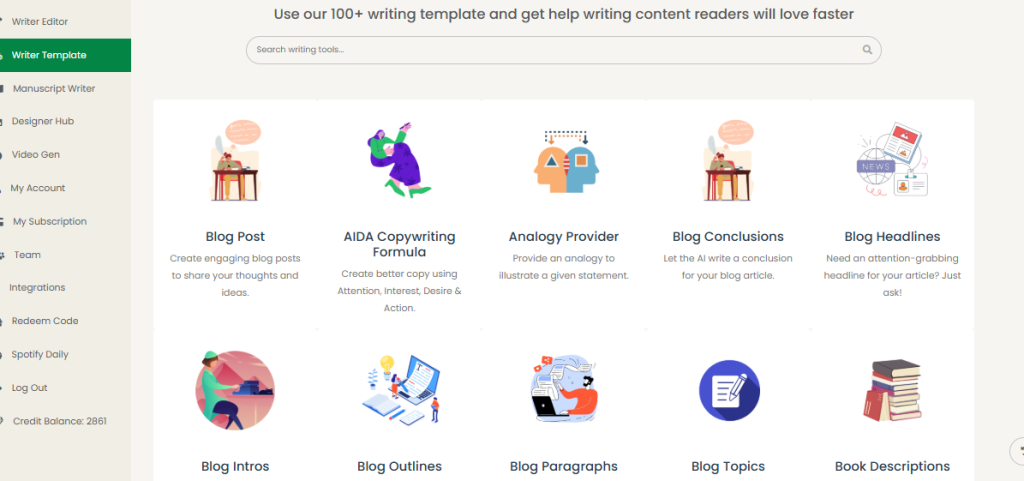
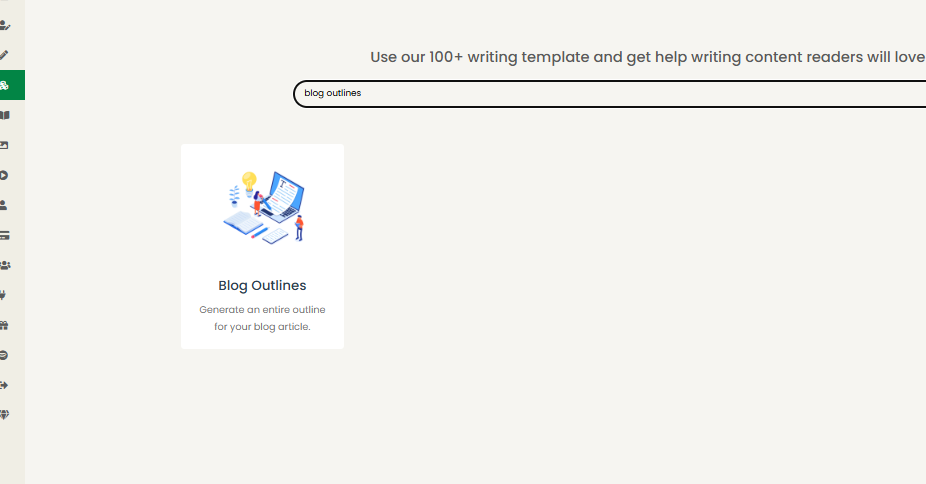
3. Search for Blog Post Outline: Use the search bar to find the specific Blog Outline template.
4. Add the Prompt and Click Generate: Enter your main topic (e.g., “10 strategies for remote team success”) and click the Generate button. Wordwriter instantly creates a comprehensive, structured outline.
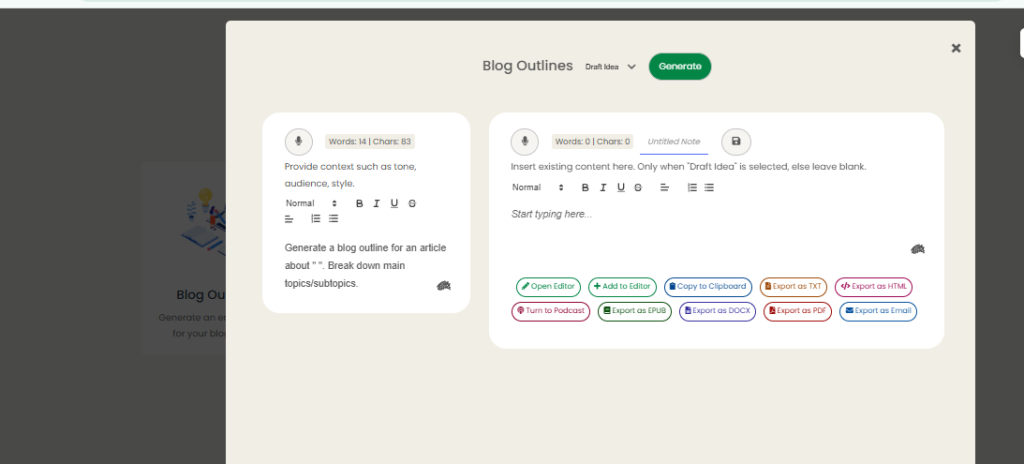
5. Download and Use: You can then easily download your completed outline structure in a variety of formats, including PDF, Markdown, or plain text, or simply begin writing directly into the Wordwriter editor.
Types of Blog Outlines
There are two main styles of blog outlines, and Wordwriter simplifies creating both:
1. Topic Outline
This is the simplest form. You use only keywords or short phrases for each point.
- Example: I. Introduction; II. Puppy Feeding Schedule; III. Crate Training.
2. Sentence Outline
This form uses complete sentences for every heading and sub-point. It takes more time but gives you a clearer idea of the final content, as each sentence becomes the topic sentence of a paragraph.
- Example: I. We will discuss the best methods for quickly house training your new puppy. II. Establishing a regular feeding schedule simplifies the house training process.
You can write the blog post outline easier and simpler by letting Wordwriter’s Blog post Outline Generator do the heavy lifting. This feature allows you to focus on strategy and refinement rather than manual structure creation, ensuring your article structure is professionally sound from the very beginning.
Conclusion
A compelling blog outline is your essential investment in quality content. By taking the time to map out your structure, you guarantee clear organization, better focus, and improved search engine visibility.
Utilize Wordwriter not just as a text editor, but as your primary outlining tool, making the process of creating strong, readable, and SEO-friendly content simpler and faster than ever before.
