
How to Use AI to Write a Non-Fiction Book Proposal
A non-fiction book proposal is often longer and more demanding than the book itself, at least in the early stages. Publishers want to see your concept, your audience, your competition, your marketing plan, and a sample chapter, all before you have written the full manuscript. Pulling that together from scratch can take weeks.
With WordWriter, you can use AI to write a non-fiction book proposal, turning a process that usually stretches over several weeks into something you can draft in a single sitting and refine from there.
In this guide, we will cover what a non-fiction book proposal actually needs to include, then walk through exactly how to create one using AI on WordWriter.
What Is a Non-Fiction Book Proposal
A non-fiction book proposal is a document writers submit to literary agents or publishers to pitch a book that has not been fully written yet. Unlike fiction, where a complete manuscript is usually expected, non-fiction is often sold on the strength of the proposal alone.
A typical proposal includes an overview of the book’s concept, an analysis of the target audience, a review of competing titles, your author bio and platform, a marketing plan, a chapter outline, and a sample chapter. Its job is to convince an agent or publisher that the book is marketable, that you are the right person to write it, and that there is a clear audience ready to buy it.
Why Use WordWriter to Write Your Book Proposal
A strong proposal needs to cover a lot of ground, and each section requires a different kind of thinking. The overview needs to sell your idea. The competitive analysis needs research. The marketing section needs to sound credible and specific. Writing all of this manually means switching mental gears constantly, which slows the process down.
With WordWriter, you can:
- Generate a complete, properly structured proposal in a fraction of the time
- Draft each section separately, then refine the ones that need the most work
- Turn a rough book idea into a polished concept and overview
- Create a chapter outline that gives your book a clear structure before you start writing
Related: Book Outline Template: How Writers can Plan their Book
How to Write a Non-Fiction Book Proposal on WordWriter
Here is exactly how to write a non-fiction book proposal using WordWriter’s AI template, step by step.
Step 1: Sign in to WordWriter
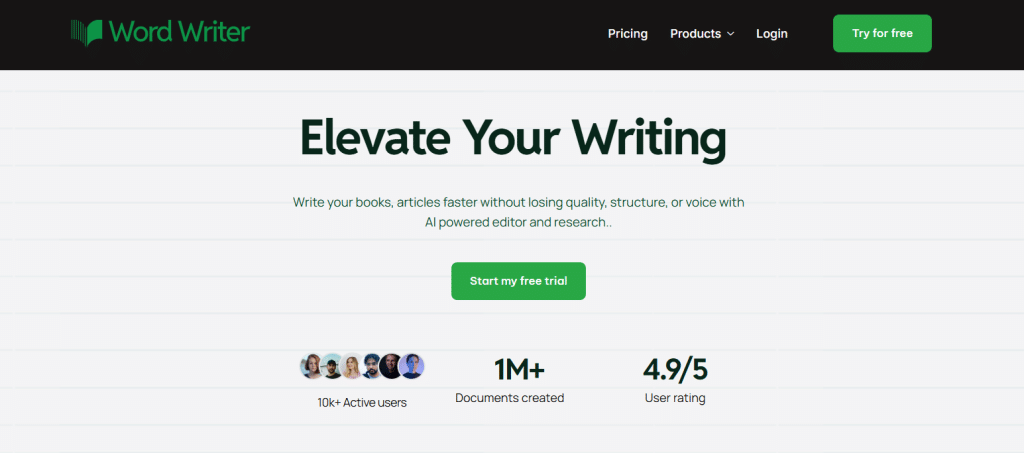
Log into your WordWriter account to access the AI template library.
Step 2: Open Templates
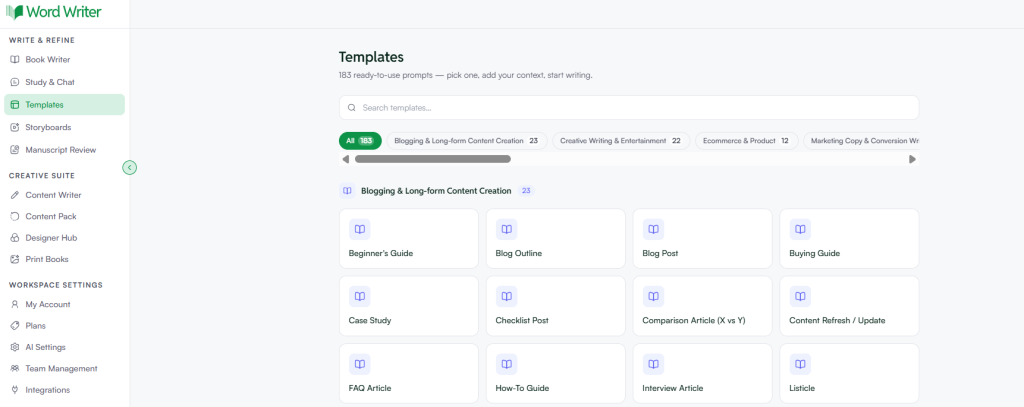
On the left corner of your dashboard, tap on Templates.
Step 3: Search for Book Proposal
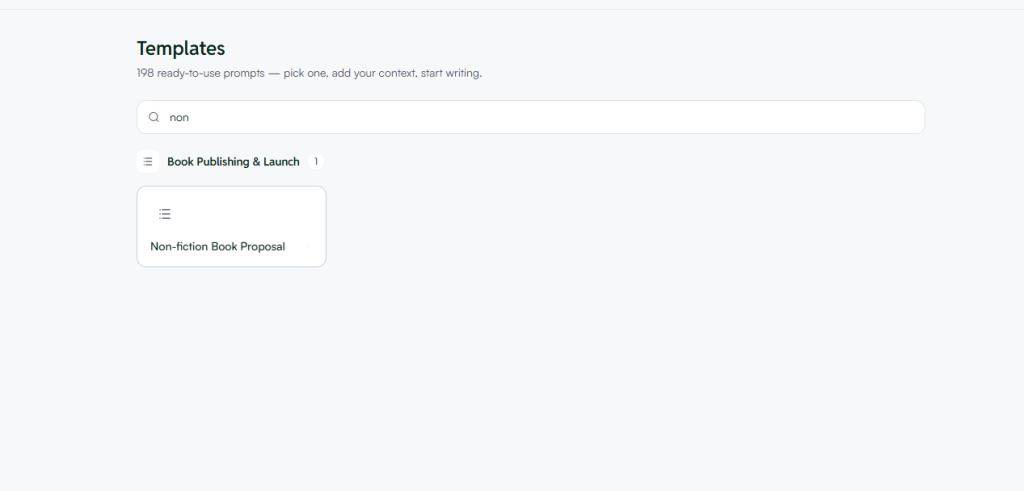
Browse or search for the non-fiction book proposal template within the book writing section.
Step 4: Open the Template and Add Your Details
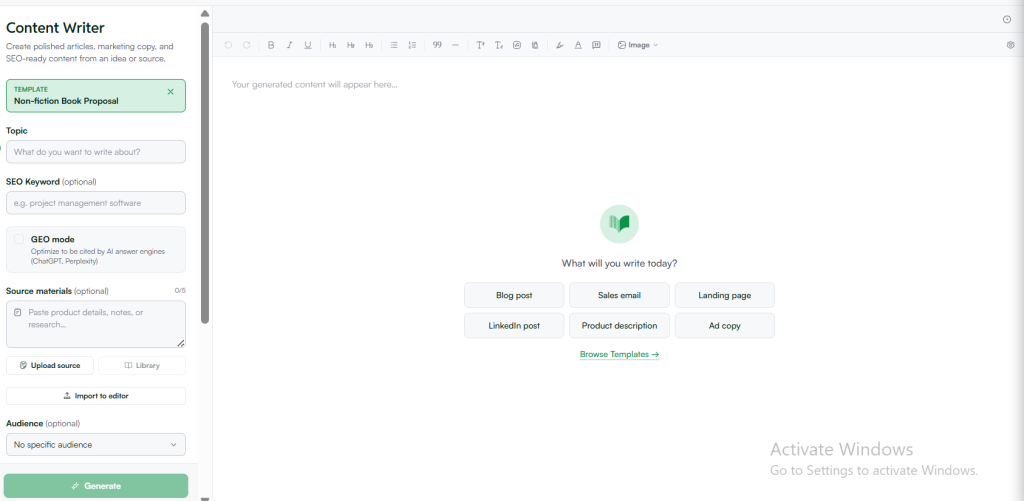
Tap open and provide details about your book, such as the topic, your target audience, your author background, and a rough idea of your chapter structure if you have one.
Step 5: Generate Your Proposal
Tap on Generate. WordWriter will produce a structured proposal draft based on the details you provided, ready for you to review and refine.
What Information to Have Ready Before You Start
To get a proposal that actually represents your book well, have these details ready before you open the template:
- Your book’s core topic and the specific angle or argument you are bringing to it
- Who your book is for, and why that audience needs this book right now
- Two or three comparable titles already on the market
- Your relevant background, credentials, or platform as it relates to the topic
- A rough sense of how you would break the book into chapters, even if unfinished
The more specific your input, especially around your unique angle and audience, the less generic your proposal will read.
What a Good Non-Fiction Book Proposal Usually Covers
Once generated, your proposal should give you a clear structure across several key sections:
- Overview — the core concept of your book and why it matters now
- Audience analysis — who will buy this book and why they need it
- Competitive titles — similar books already published, and how yours is different
- Author bio and platform — your credibility to write this specific book
- Marketing plan — how you and the publisher can realistically reach your audience
- Chapter outline — a breakdown of how the book will be structured
- Sample chapter — a fully written chapter that demonstrates your voice and approach
Reviewing and Refining Your Proposal
Once WordWriter generates your proposal, read through it carefully. Check for:
- Whether the overview clearly communicates your unique angle, not just the general topic
- Accuracy of your comparable titles and how the comparison is framed
- Whether your marketing plan sounds specific and realistic rather than generic
- Any sections that feel thin and could use more detail from your own experience
If a section does not feel right, you can regenerate just that part, or ask WordWriter to expand it with more detail.
Tips for Better AI Generated Book Proposals
Lead with your angle, not just your topic. Publishers see plenty of proposals about broad subjects. What sells is the specific argument or approach you are bringing that others have not.
Be honest about your comparable titles. Vague or overly generous comparisons weaken your proposal. Choose real, recent titles and be specific about how yours differs.
Give WordWriter your actual credentials. Generic author bios read as generic. The more specific your background and platform, the more credible the proposal sounds.
Treat the first draft as a foundation, not a final version. Proposals often go through several rounds of revision before submission. Use the AI generated draft to get your structure and ideas down, then sharpen the language yourself.
Final Thoughts
A non-fiction book proposal has to do the work of convincing someone to invest in a book that does not exist yet, which is why it takes so much more than a good idea to get right. With WordWriter, you can generate a complete, structured draft in minutes, then spend your time refining the sections that matter most instead of staring at a blank page for each one.
Whether this is your first proposal or your fifth, WordWriter gives you a solid foundation to build from, so you can focus on making your book’s case as compelling on paper as it is in your head.
