
How to Create a Pillar post using AI
Knowing how to create a pillar post using AI is essential for dominating search engine rankings, organizing complex topics, and building long-term authority in your niche.
A pillar post serves as the ultimate, comprehensive guide on a core subject that links out to smaller, specific cluster articles. Staring at a blank screen trying to map out a 3,000+ word ultimate guide feels overwhelming, but using an AI-powered content platform turns that huge workload into a structured, step-by-step breeze.
In this article, we’re going to cover why pillar posts are important for modern SEO, the difference between doing it manually versus with AI, and a direct walkthrough on how to generate one using WordWriter.
Let’s dive in.
Why Pillar Posts Are Vital for Search & Authority
A pillar post isn’t just a standard blog article, it is the central hub of your content strategy. Instead of publishing disconnected articles on related subtopics, a pillar post establishes your website as an authoritative source by providing high-level coverage of an entire topic while linking to detailed cluster content.
Pillar content is necessary because:
- It Drives Organic SEO Dominance: Search engines love well-structured, comprehensive guides that satisfy user intent in one place.
- It Simplifies Internal Linking: Acting as a core hub, it makes internal site navigation intuitive for readers and easy to index for web crawlers.
- It Boosts Audience Retention: When users find an ultimate resource, they spend more time reading, sharing, and bookmarking your site.
The Manual Struggle vs. The AI Advantage
Drafting a pillar page manually requires days of tedious outline building, deep subtopic mapping, structural editing, and constant rewrites. You often end up with hundreds of open browser tabs, disjointed section transitions, and writer’s block halfway through a massive manuscript.
Using WordWriter strips away that manual stress. Instead of wrestling with a blank document, you can leverage dedicated templates to generate structured, comprehensive pillar outlines and complete long-form drafts in minutes.
How to Create a Pillar post using AI; WordWriter
Creating a comprehensive pillar post with WordWriter is simple. Here is the exact workflow:
1. Login to Your Dashboard
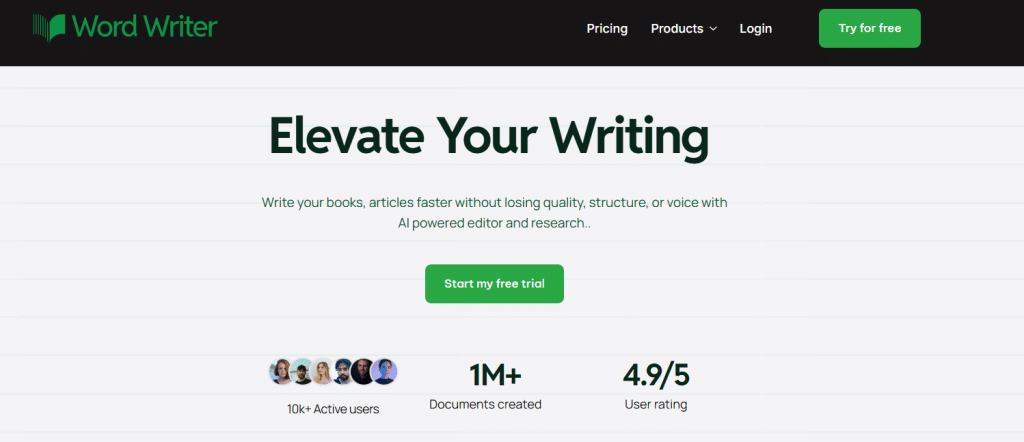
First, visit the WordWriter website and login to access your workspace. If you are new, you can quickly create an account to get started.
2. Navigate to Templates
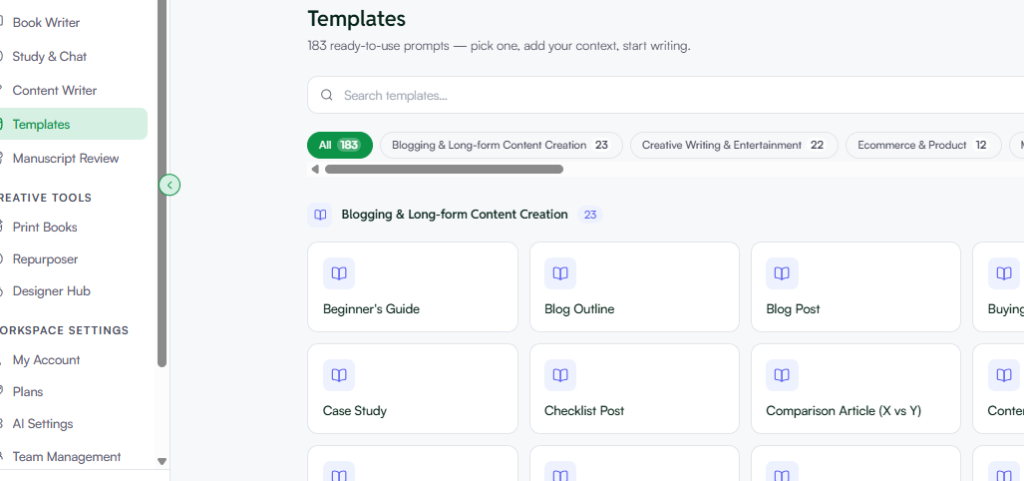
From your main dashboard, navigate to the left-hand menu and select Template
3. Search for “Pillar Post”
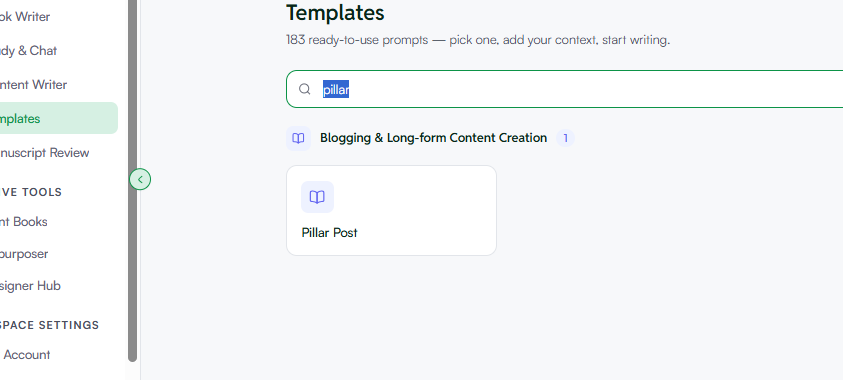
Use the top template search bar, type “Pillar Post” and click on the dedicated template card to open the generation panel.
4. Fill in the Quick Presets & Details
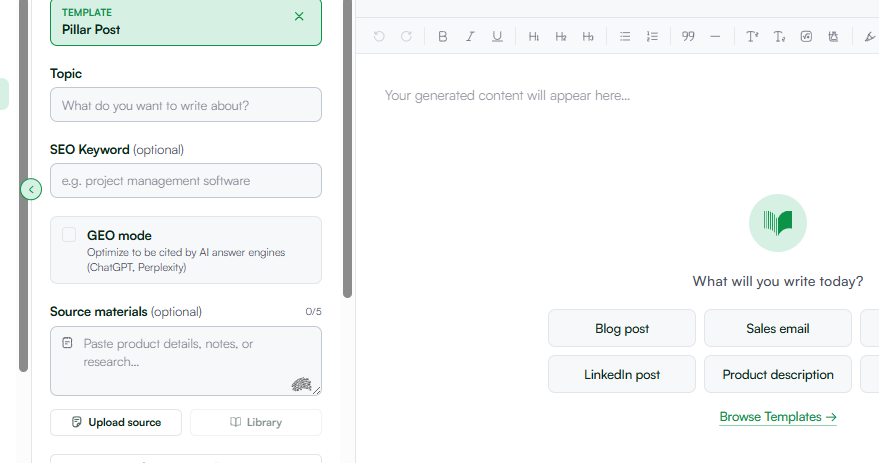
Provide the core details and boundaries for your ultimate guide:
- Topic: Enter your core topic (e.g., “The Ultimate Guide to Digital Marketing in 2026”).
- Source Content / Subtopics (Optional): Add key cluster topics or context you want covered in individual sections.
- Tone: Choose a tone that matches your brand voice—such as Informative, Professional, or Persuasive.
- The GEO Option: Click to activate GEO (Generative Engine Optimization). This structures your pillar post with schema-friendly summaries, direct answer headers, and entity-rich data so AI engines (like Gemini, Perplexity, and ChatGPT) easily cite and feature your guide.
- Output Language & Word Count: Select your preferred language (English, Español, Français, Deutsch, etc.) and target word count range (e.g., 2K, 5K+ words).
5. Generate and Polish in the Editor
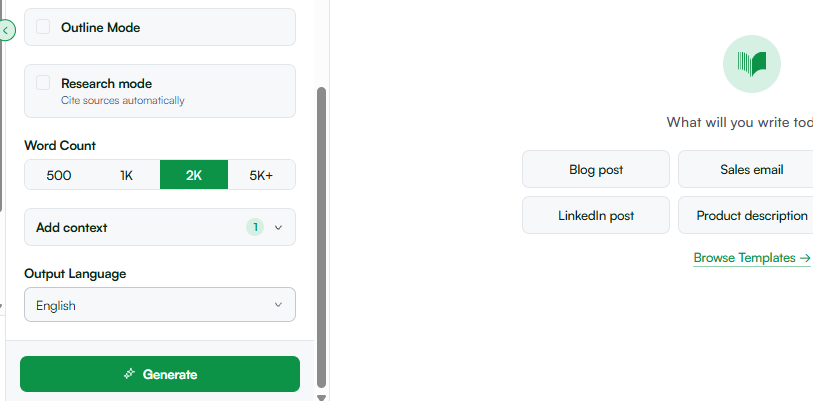
Click Generate. In seconds, WordWriter will output a fully structured pillar guide complete with an engaging introduction, structured $H2$ and $H3$ subtopic hubs, actionable takeaways, and a solid conclusion. Copy the text into the Smart AI Editor to refine section details, insert custom links to your cluster articles, or format text styles.
Related: AI Writing Workflow for Content Teams
Conclusion
Building a massive, authoritative pillar guide doesn’t have to take weeks of stressful manual writing. WordWriter is so so so powerful because it takes your main topic, organizes it into logical sub-chapters, and generates structured long-form content optimized for both human readers and search engines.
By utilizing the dedicated Pillar Post template and enabling the GEO option, you can construct authoritative hub pages that command attention and drive search visibility in a fraction of the time.
Ready to build your ultimate topic hub and dominate your niche? Start with WordWriter today
