
How to Use AI for brainstorming ideas

Learn How to Use AI for brainstorming ideas and boosting productivity.
You know that moment when you can see your idea so clearly in your head, but when you sit down to actually create it, your brain just freezes? Maybe you’re a writer staring at a blank page, or a designer who knows exactly what the interface should feel like but can’t translate it to pixels.
Whatever your creative field, we’ve all been there, wondering if we’re cut out for this, feeling like our heads might actually explode from the frustration of being stuck.
Here’s the thing,that gap between having an idea and bringing it to life has always been the hardest part of creative work. It’s not about lacking talent or choosing the wrong career, it’s just how creativity works sometimes.
But AI has changed the game. It’s not here to replace what makes you creative; it’s here to help you get unstuck and turn those brilliant ideas in your head into something real.
This guide will show you exactly how to use AI as your creative partner. We’ll cover practical ways to brainstorm better, push through blocks, and boost your productivity, all while keeping your unique creative voice front and center.
Related: How to Use AI to Write Thesis
What is AI Brainstorming
AI brainstorming is using AI tools to generate and develop ideas alongside your own thinking. Instead of struggling with a blank page alone, you bounce ideas back and forth with AI – presenting your challenge and getting suggestions, alternatives, or new angles in return.
AI helps you get unstuck by offering perspectives you might not consider, generating lots of options quickly, and building on your initial concepts. You’re not using AI’s ideas directly, but using them as creative fuel to spark your own thinking.
Benefits of AI Brainstorming
- Speed and Volume: AI generates dozens of ideas in seconds, giving you way more options to work with than traditional brainstorming sessions.
- No Judgment Zone: AI won’t roll its eyes at your “bad” ideas. You can explore wild concepts without fear of criticism, which often leads to breakthrough thinking.
- Fresh Perspectives: AI pulls from vast knowledge bases and can suggest angles you’d never think of, breaking you out of your usual creative patterns.
- Builds on Your Ideas: Instead of starting from scratch, AI takes your half-formed thoughts and helps develop them into something more complete and actionable.
- Breaks Through Creative Blocks: When you’re completely stuck and can’t see a way forward, AI provides that initial spark to get your creative wheels turning again.
5 ways to Brainstorm ideas
1. Writing Out the Idea
Get your initial concept out of your head and onto paper (or screen). This simple act of writing makes abstract thoughts concrete and often reveals gaps or connections you hadn’t noticed before.
2. Brainstorm Around Your Core Topic
Once you have your main idea, explore everything related to it. Ask questions like “What if…?” “How might…?” or “Why does…?” to uncover different angles and possibilities.
3. Research Your Topic Thoroughly
Talk to your target audience, browse online forums, check competitor content, or dive into industry reports. Real-world insights often spark ideas you’d never generate sitting alone at your desk.
4. Structure and Organize Ideas
Take all your scattered thoughts and group them into categories, themes, or logical sequences. This organization often reveals patterns and helps you see which ideas are strongest or most viable.
5. Expand Using AI
Feed your organized ideas into AI tools to generate variations, improvements, or entirely new directions. AI can take your concepts further than you might on your own, suggesting refinements or exploring “what if” scenarios you hadn’t considered.
5 AI Brainstorming Prompts
- The “What If” Explorer “What if [your main idea/product/concept] could solve a completely different problem than intended? Generate 10 unexpected use cases or applications.”
- The Perspective Shifter “I’m working on [your project]. How would a 5-year-old, a skeptic, and an expert in [relevant field] each view this idea? What would each group love or hate about it?”
- The Problem Multiplier “Here’s my target audience: [describe them]. List 15 specific problems they face that I haven’t considered yet, then suggest solutions for the top 5.”
- The Combination Generator “Take my idea about [your concept] and combine it with elements from [industry/hobby/trend]. Give me 8 hybrid concepts that merge these worlds.”
- The Constraint Creator “I need to brainstorm [your topic] but with these limitations: I have only $100, 1 week, and can’t use [specific tool/method]. What creative alternatives can you suggest?
Pro Tip: Want to create even more targeted prompts? You can explore ChatQuick, our AI prompt generator tool, at no cost to craft more specific instructions for your LinkedIn bio.
How to use AI for Brainstorming ideas
Wordwriter has over 100+ templates that you can use for brainstorming and content generation.
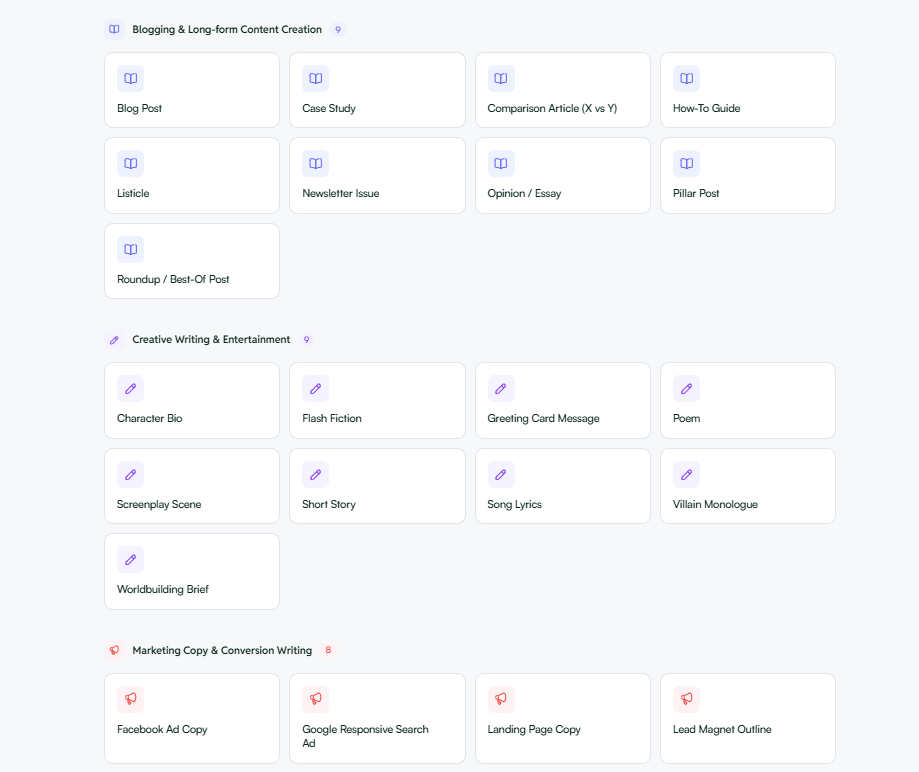
1. Sign in/Sign up to use WordWriter
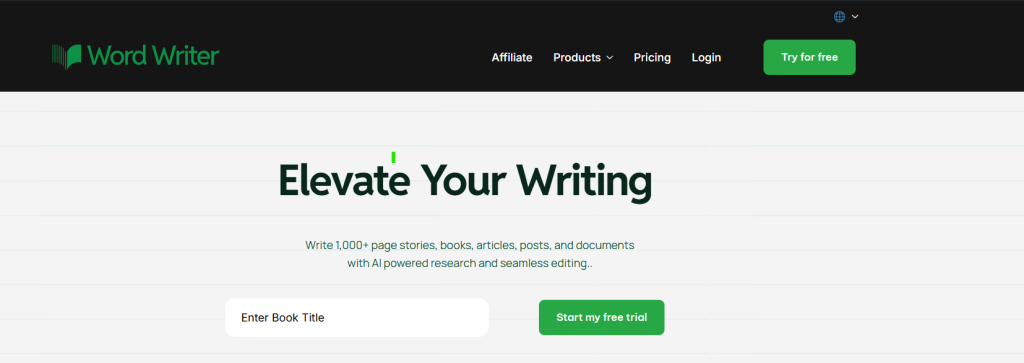
Head over to wordwriter to sign up as a new user or sign in if you already have an account.
2. Explore Your AI Dashboard
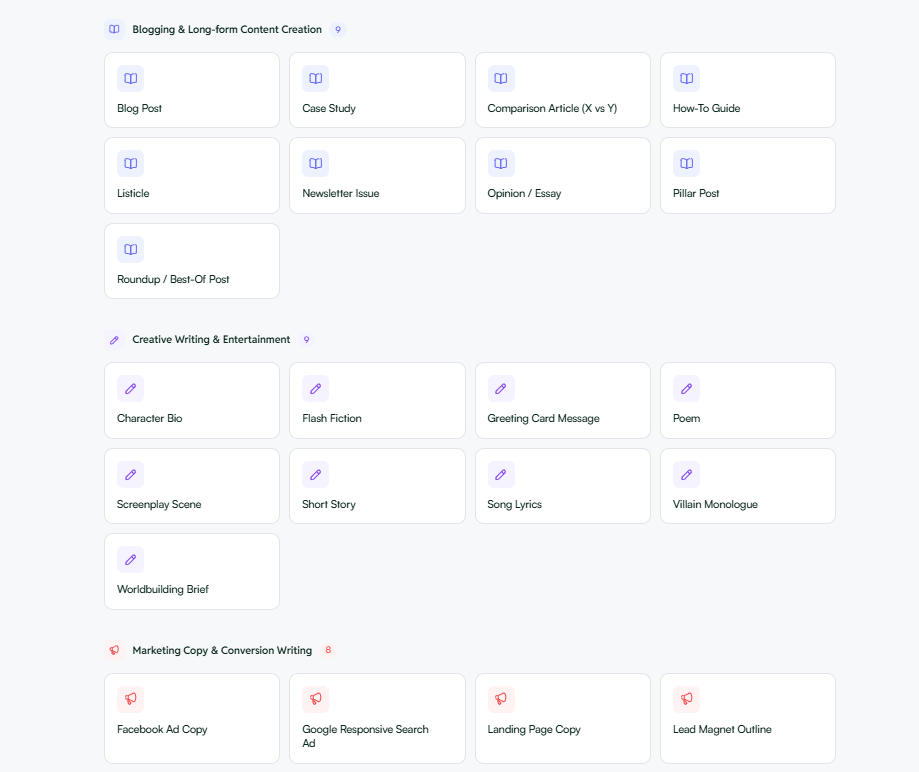
Once you’re in, you’ll see tons of templates specifically designed for brainstorming different types of ideas and content.
3. Follow the 5-Step Process
Use the brainstorming framework we outlined earlier – start by writing out your idea, then research, structure, and organize your thoughts before diving into AI generation.
4. Apply Strategic Prompts
Use the specific prompts we’ve provided with whichever AI template fits your project. Each template is optimized for different creative challenges.
5. Generate and Refine
Hit generate to get your initial ideas, then keep refining them. Run multiple iterations, tweak your prompts, and build on the outputs until you have something solid to work with.
Example of Brainstorming ideas
Real Example: Creating a Professional LinkedIn Bio
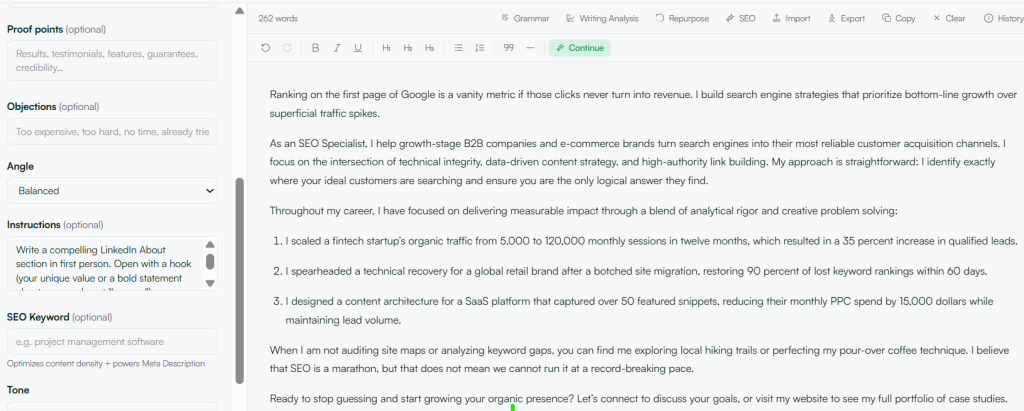
The Result: Instead of struggling with how to write about myself professionally, I got a polished LinkedIn bio in seconds that I could then tweak and personalize further.
Conclusion
The creative block that once felt like an insurmountable wall doesn’t have to stop you anymore. AI isn’t here to replace your creativity, it’s here to unlock it.
Whether you’re staring at a blank page, struggling to turn your vision into reality, or just need fresh perspectives on a tired idea, AI brainstorming gives you the creative partner you’ve always needed.
Start with one template, try a few prompts, and watch how quickly those stuck moments turn into breakthrough ideas. Your next great creative project is just a conversation with AI away.
