
How to Create a Worldbuilding Brief Using AI

If you write fiction, you know that a solid world is what holds a story together. Rules, geography, history, culture, all of it needs to stay consistent from chapter one to the final page. The problem is that building this out manually takes time, and keeping track of every detail as your story grows gets harder the longer you write.
With WordWriter, you can generate a complete worldbuilding brief using AI, giving you a structured reference document you can return to every time you sit down to write.
In this guide, we will walk through exactly how to create a worldbuilding brief using AI on WordWriter.
Related: How to use AI to generate Video Scripts
Why Use WordWriter for Your Worldbuilding Brief
A worldbuilding brief is essentially the rulebook for your story’s universe. It covers things like setting, history, culture, magic systems or technology, and social structures, all in one place. Writers often build this manually in scattered notes, which makes it easy to lose track of details or accidentally contradict something established earlier.
With WordWriter, you can:
- Generate a structured brief in minutes instead of building one from scratch
- Keep worldbuilding details consistent as your story develops
- Expand or adjust sections as your story grows without starting over
- Reference one clean document instead of scattered notes
How to Create a Worldbuilding Brief on WordWriter
Here is exactly how to create a worldbuilding brief using WordWriter’s AI template, step by step.
Step 1: Sign in to WordWriter

Log into your WordWriter account to access the AI template library.
Step 2: Open Templates
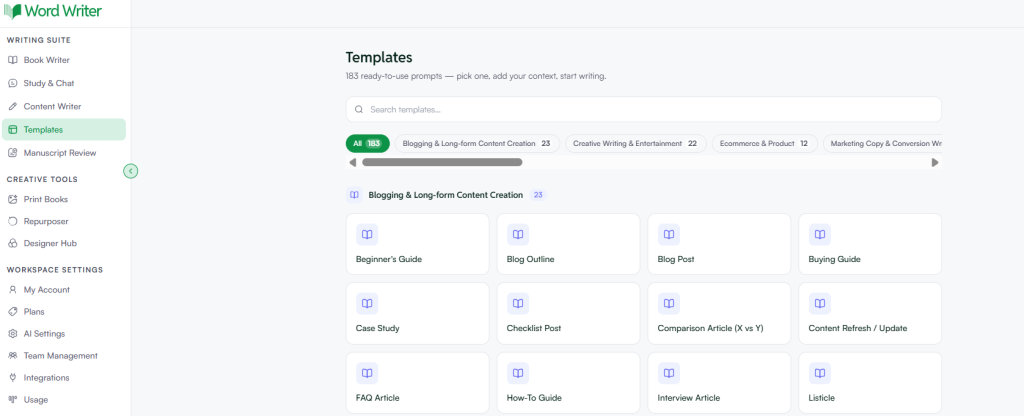
On the left corner of your dashboard, tap on Templates.
Step 3: Search for Worldbuilding Brief
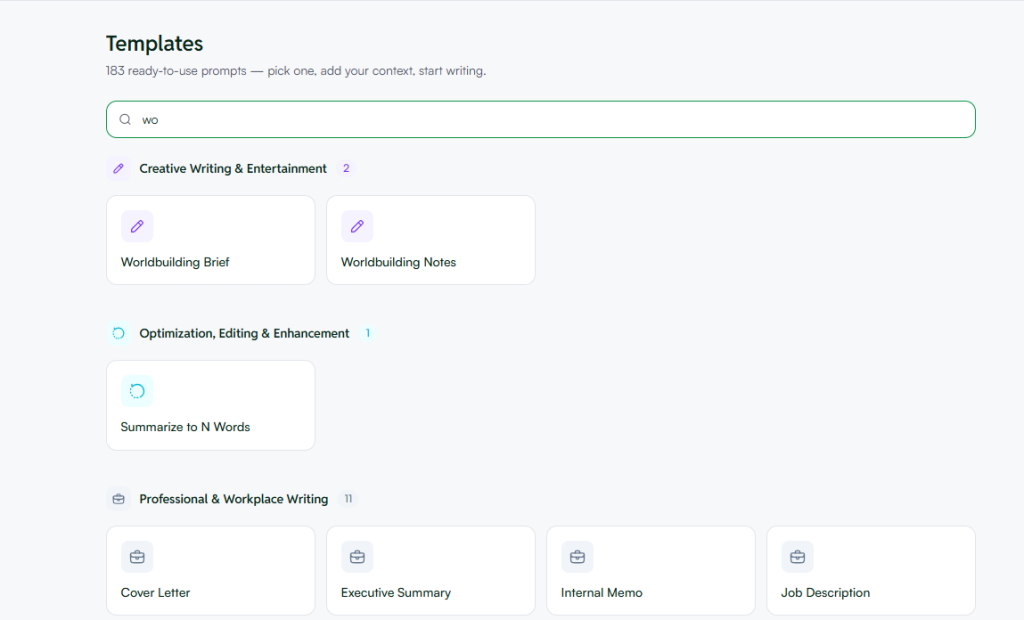
Browse or search for the worldbuilding brief template within the fiction writing section.
Step 4: Open the Template and Add Your Details
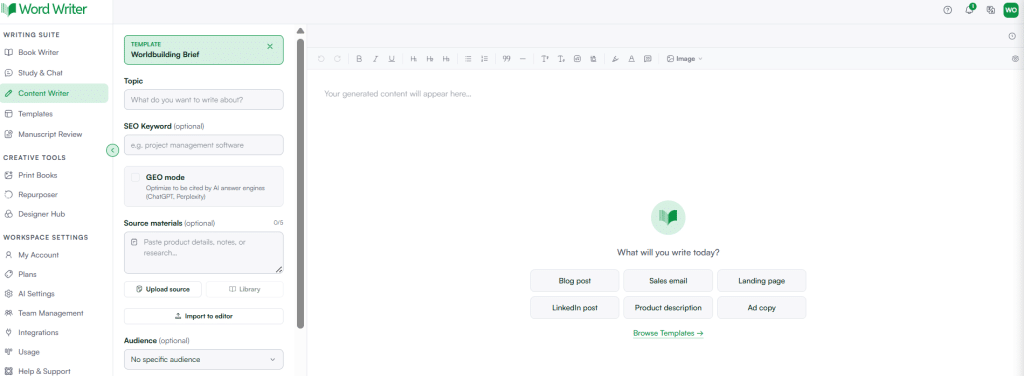
Tap open and provide the details of your story world, such as genre, setting, and any elements you already have in mind.
Step 5: Generate Your Brief

Tap on Generate. WordWriter will produce a structured worldbuilding brief based on the details you provided.
What Information to Have Ready Before You Start
To get the most useful brief on your first try, have these details ready before you open the template:
- Your story’s genre, for example fantasy, sci-fi, or historical fiction
- The general setting, such as time period, planet, or region
- Any existing world elements you already know, like a magic system or political structure
- The tone you are going for, whether dark, lighthearted, or somewhere in between
The more context you give WordWriter, the more tailored your brief will be, rather than generic placeholders you will need to rewrite anyway.
Related: 8 Best AI picture Book illustrator in 2026
What a Good Worldbuilding Brief Usually Covers
Once generated, your brief should give you a clear reference across several key areas:
- Setting and geography — where the story takes place and how the physical world is laid out
- History and timeline — major past events that shape the present story
- Culture and society — customs, values, and social structures of the people in your world
- Systems and rules — magic systems, technology, or any world specific mechanics
- Politics and power — governing bodies, factions, or conflicts driving tension
Having all of this in one document means you can check back anytime you are unsure whether a detail fits with what you already established.
Reviewing and Refining Your Brief
Once WordWriter generates your brief, read through it carefully. Check for:
- Consistency with any details you already had in mind
- Gaps you want to expand on further
- Sections that feel generic and could use more specific detail
If a section does not feel right, you can regenerate just that part, or ask WordWriter to expand on it with more detail.
Tips for Better AI Generated Worldbuilding Briefs
- Start with what you already know. Even a few established details help WordWriter build around your vision instead of generating something disconnected from your story.
- Build it in stages. You do not need every detail finalized before you start. Generate a basic brief early, then expand specific sections as your story develops.
- Keep it updated as you write. If new world details emerge while writing, add them back into your brief so it stays your single source of truth.
- Use it as a quick reference while drafting. Keep the brief open alongside your manuscript to catch inconsistencies before they make it into your final draft.
Final Thoughts
A strong worldbuilding brief keeps your story consistent and saves you from rereading old chapters just to check a detail. With WordWriter, you can generate a structured, detailed brief in minutes, then refine it as your story takes shape.
Whether you are starting a brand new world or organizing one you have been building for years, WordWriter gives you a clear foundation to write from.
